Video Editor Cover Letter Example: Reel, Workflow and Delivery
by Larbi SahliLast Updated
Adapt a fictional video editor cover letter with guidance on reel credits, software experience, review workflows and realistic delivery claims.
Users have landed jobs at
- 1Password
- OpenAI
- Notion
- justworks
On this page
A video editor cover letter can give context that a reel does not show: your contribution, the brief, how you handled notes and what you delivered. Make the relevant work easy to find, but do not assume that a letter or reel alone determines the hiring decision.
This guide uses a fictional post-production example. It shows how to explain software experience, review workflows and deliverables without inventing speed or audience results. Adapt the evidence to the actual vacancy, whether it is an agency, in-house or creator-team role.
Why video editors need a strong cover letter
The Bureau of Labor Statistics describes editing work that includes organizing footage and collaborating with directors and producers. A letter can explain your part in that process, alongside the finished work in your reel.
Read the application instructions first. If a letter is requested, include it. If it is optional, consider whether it adds useful context: how you managed revisions, prepared variants, coordinated with a colorist or delivered an organized project for another editor.
Keep the description specific to your experience. A finished spot may include other people’s footage, music, graphics and finishing. Explain your editing contribution rather than implying that everything visible in the reel is yours.
Video editor cover letter example
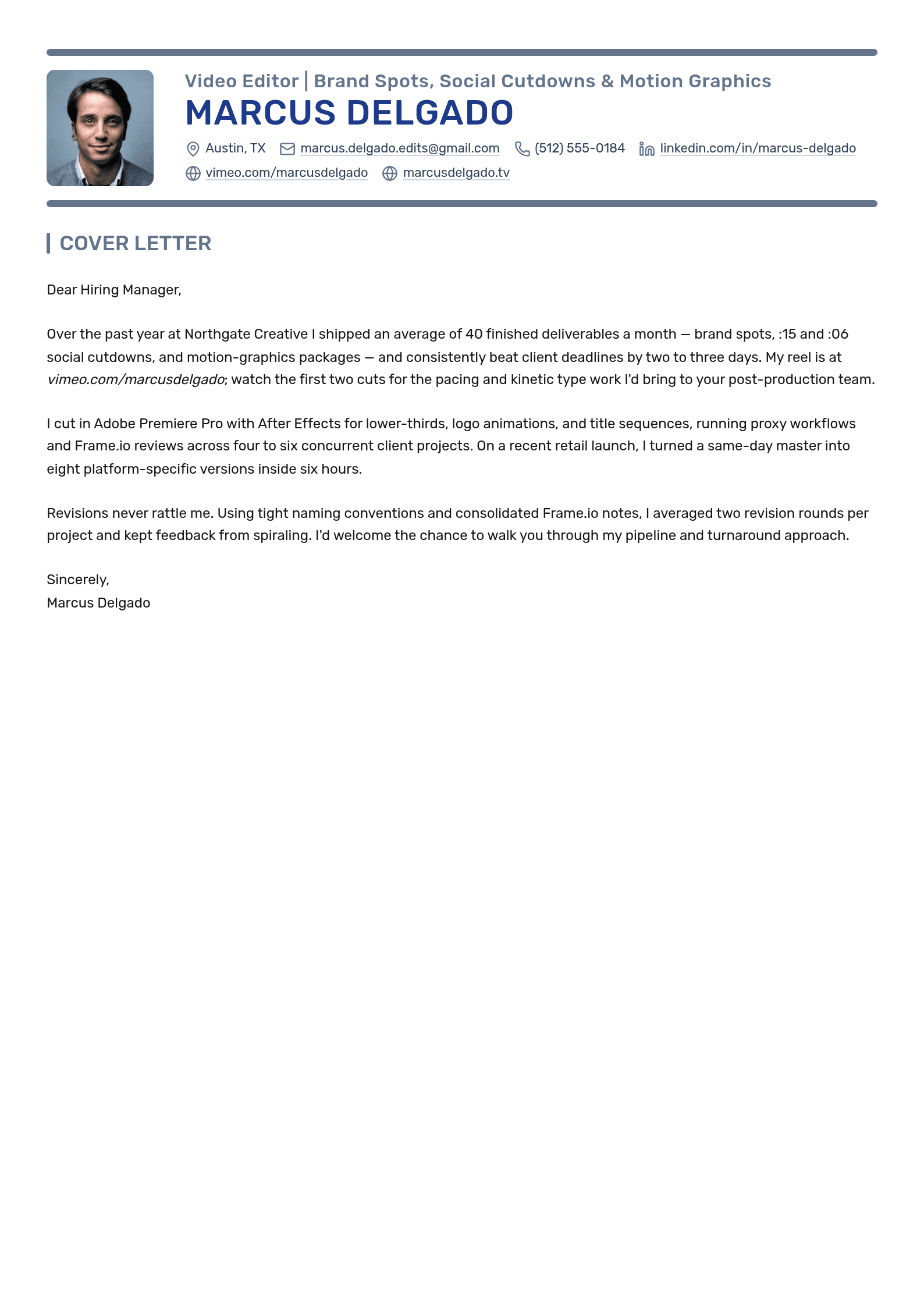
Marcus Delgado is a fictional editor with four years at Juniper Creative Studio, applying to Cedar Brand Productions. The sample focuses on a product-launch edit, social variants and a documented review process. The portfolio address is a placeholder; replace it with work you are permitted to share.

Video Editor | Brand Spots, Social Cutdowns & Motion Graphics
Marcus Delgado
Cover Letter
Dear Hiring Team,
I am applying for the Video Editor role at Cedar Brand Productions. In four years at Juniper Creative Studio, I have edited brand videos in Adobe Premiere Pro and created lower-thirds and title animation in After Effects. My sample reel is at example.com/reel; the project notes identify my edit and graphics work, with sound mix and final color credited to the specialists involved.
For a recent product-launch project, I cut the main video and prepared vertical and square variants from the approved sequence. I checked framing and title placement for each version rather than treating the variants as automatic crops. I also reviewed captions and exported files against the producer’s delivery checklist.
During review, I worked from consolidated, timestamped notes and kept each cut labeled by version. When two notes conflicted, I asked the producer to confirm the priority before changing the sequence. That kept the decision and the resulting edit traceable through the handover.
I would welcome a conversation about your review process and the formats your team produces. Thank you for considering my application.
Sincerely,
Marcus Delgado
Video Editor cover letter keywords
Choose software and workflow terms from the posting when they reflect your actual experience. This list offers possible evidence, not universal screening requirements.
| Possible term | Area | Evidence to describe |
|---|---|---|
| Adobe Premiere Pro | Editing software | The formats and projects you edited in it. |
| DaVinci Resolve | Editing/finishing software | Your actual editing or color responsibilities. |
| After Effects | Graphics software | The titles, animation or compositing you created. |
| Avid Media Composer or Final Cut Pro | Editing software | Relevant project experience, if requested and true. |
| Media organization and proxies | Workflow | How you organized source material and prepared the project. |
| Multicam editing | Workflow | The production and synchronization work you handled. |
| Color correction or grading | Finishing | Your contribution, distinguished from a specialist’s work. |
| Audio editing or mixing | Finishing | The work you performed and review requirements. |
| Captions | Delivery | How you checked text, timing and the requested format. |
| Review and versioning | Workflow | How you tracked notes, decisions and approved cuts. |
| Aspect-ratio variants | Delivery | How you adapted framing and graphics for the requested versions. |
| Export specifications | Delivery | The actual specifications and quality checks you used. |
Describe the level of responsibility honestly: assisting with a workflow is different from owning it. A keyword comparison can help you inspect terminology, but cannot reveal an employer’s private filters. See the keyword guide for further checks.
Adapting the example: agency post vs. YouTube and social media
Use the duties in the vacancy to choose your example. For a role emphasizing client delivery, describe review rounds, approval and variants. For a creator team, you might discuss narrative structure, a publishing schedule or how you used audience feedback. These are possibilities, not fixed differences between all agencies and channels.
If you report watch time, retention or another audience measure, identify the period and content it covers. A change in performance may also reflect the topic, thumbnail, distribution or audience. Do not attribute it entirely to your edit without evidence.
For an in-house role, a useful example might be how you coordinated with a product specialist to correct a demonstration. For a documentary role, it might be organizing interview material and revising a sequence with the director. Choose the work that matches the brief, not a metric simply because it sounds impressive.
Detailing your NLE proficiency: Premiere, DaVinci, Avid, and the rest
Name the software you have used and the work you did in it. There is no verified job-posting survey behind the table below, and it does not rank software by hiring demand. Use the employer’s stated requirements rather than assuming that one editing package is the default everywhere.
| If you name… | Clarify… | Example of a specific claim |
|---|---|---|
| Premiere Pro | The project and editing tasks | Edited an interview-led product video and prepared approved social variants. |
| After Effects | Original graphics work versus template use | Adapted approved lower-third templates and created a title animation. |
| DaVinci Resolve | Editing, color or another part of the workflow | Prepared a color pass for review, while a specialist handled final finishing. |
| Avid Media Composer | The production and your responsibility | Organized interview footage and assembled a sequence for the lead editor. |
| Final Cut Pro | The actual workflow you used | Edited a training series and maintained versioned project handovers. |
| A short-form editing tool | The tool and scope, without claiming broad mastery | Prepared captioned vertical cuts from approved source material. |
The table’s sentences are illustrative; use only the tasks you have performed. If you mainly work in one application and have limited practice in another, distinguish those levels. Do not turn a tutorial into professional proficiency.
You can explain a transferable workflow, such as organizing footage or managing notes, without claiming that all software behaves the same way. Include a certification only if you hold it, using its exact title and current status. No tool name guarantees that an application will pass a hiring screen.
Proving turnaround time and project management
When turnaround matters to the role, explain it with scope. “Delivered a cut in two days” leaves out footage volume, duration, graphics, revision rounds and when the clock started. A deadline claim should be understandable, not just fast-sounding.
Useful evidence may come from these parts of your work:

- Deliverables: identify whether you mean complete edits, cutdowns, aspect-ratio variants or exports.
- Time and scope: describe the material available, expected duration and review conditions behind a turnaround claim.
- Feedback: explain how notes were consolidated, conflicting requests resolved and approvals recorded.
- Handover: describe project organization, version names, relinking information or other work you actually provided.
If you do not have reliable volume or timing records, describe the workflow. For example: “I maintained a version log and checked new notes against the last approved cut before revising.” This fictional wording shows a concrete practice without a perfect-deadline claim.
For future work, discuss availability and dependencies rather than promising a fixed turnaround before seeing the footage and brief.
Linking to your reel effectively
Include an easy-to-find portfolio or reel link with a short description of the relevant material. State your role on each featured project, especially when other people handled shooting, graphics, sound or color.
A useful fictional introduction is: “The product-launch clip shows my edit and title animation; the project notes credit the camera, sound and color team.” The description helps the reader evaluate the right contribution.
- Use a stable, readable link and check that it opens as intended for someone outside your account.
- Share only work you have permission to show. A password does not by itself make confidential or NDA-restricted material safe to share.
- If authorized access is restricted, provide the approved access instructions or offer an approved alternative sample. Do not bypass the restriction.
- Choose relevant work and label your contribution. A longer project may benefit from a suggested time range rather than a separate reel.
- Test hyperlinks in the final document; a readable URL can also help when the document is printed.
Check the document and final attachment
Use a readable layout and a clear hierarchy. The letter should make your experience and work samples easy to understand. Hiring systems vary, so do not rely on a template or file type as a guarantee of correct parsing.
- Follow requested length, questions and format before applying general layout advice.
- Use readable text and make the portfolio link easy to find; decoration should not obscure either.
- If PDF is accepted, inspect the exported text, links and page breaks. If another format is requested, provide it.
- Add context that the resume or reel does not already explain, such as your role in review and delivery.
- Check the employer, role and project details when reusing a draft.
- Verify each claim about software, timing, output and credits against your own records.
Checking your letter against the actual posting
Make a short evidence map from the posting: requested work, relevant project, your contribution and available proof. Do not add every tool in the vacancy when you have not used it.
If you draft with Roleframe or an AI assistant, give it these notes and ask it to preserve credits and responsibility boundaries. Review the result for invented clients, deadlines, audience metrics or software experience. A fit score can help organize a comparison; it is not the employer’s private assessment.
The AI cover-letter guide covers draft checks. For manual editing, the first anonymous letter workflow supports PDF export, with separate limits for account-based features. The designer cover-letter guide offers related advice for presenting creative work.
Frequently asked questions
- What should the letter include?
Name the role, relevant editing experience, a permitted reel or sample with contribution context, and one useful account of your workflow. Follow the employer’s instructions; a speed metric is not mandatory.
- Do video editors need a cover letter?
Submit one when requested. When optional, decide whether it adds useful context beyond your resume and reel. No single document guarantees an interview, and employers use applications differently.
- Can I use AI to draft it?
Yes, subject to the application’s rules, but check every claim. Provide your real project notes and credits, and remove invented results. The prompting guide offers a structure for supplying facts.
- What if I have no professional editing experience?
Use permitted student, volunteer or personal work and label its setting clearly. Explain the tools and decisions you handled. Do not present unpaid practice as paid client work or claim professional delivery volume you do not have.
- What should a freelance pitch include?
Follow the brief. A concise message can identify relevant work, your contribution and current availability. Discuss scope, source footage, review rounds and delivery requirements before promising a turnaround.
- How should I describe editing skills on a resume?
Name relevant tools and connect them to real tasks or projects. Include an accessible portfolio link and clarify credits. Use output or audience figures only when supported. The skills-section guide provides further structure.


Write yours on the same template.
Every example here is built on a template you can open in the editor. Keep the structure that works and put your own story in it, or let Roleframe draft a first version from your resume and the job posting.


