What Is the Best Resume Format for ATS?
by Larbi SahliLast Updated
The best resume format for ATS is reverse chronological, single column, saved as PDF. Here's why it wins, and the two cases where the answer changes.
On this page
The best resume format for ATS is reverse chronological: your most recent job first, in a single-column layout with standard section headings, saved as a PDF. Every major applicant tracking system parses it cleanly, and every recruiter reads it without friction. A hybrid format is the only acceptable alternative, and a functional format is never the answer.
Why reverse chronological wins
An applicant tracking system (ATS) is parsing software before it is anything else. It reads your resume top to bottom and tries to build a structured record: job titles matched to employers, employers matched to date ranges, skills matched to the jobs where you used them. Reverse chronological order is the structure that parsing logic was built around. When your history runs newest to oldest under a heading called "Experience," the software maps everything correctly on the first pass.
The second reason has nothing to do with software. Recruiters read hundreds of resumes a week, and reverse chronological is the format their eyes are trained on. They scan for your current title, your current employer, and how long you have been there, in that order. Any format that hides those three facts forces the reader to work, and a reader with a stack of two hundred applications does not work. They move on.
There is also a credibility effect. Recruiters know the functional format, the one that groups accomplishments by skill and buries dates, is most often chosen to hide something: a gap, job hopping, or thin experience. Choosing it signals the problem before the recruiter has even found it. The reverse chronological format reads as having nothing to hide, which is exactly the impression you want in a seven-second scan.
Format is more than order: the layout rules that decide parsing
"Reverse chronological" answers the ordering question, but most ATS failures are layout failures. A perfectly ordered work history inside a two-column table can still come out scrambled, because many parsers read tables left to right across both columns and merge unrelated text. The layout rules matter as much as the order.
| Element | Safe for ATS? | Why |
|---|---|---|
| Single-column layout | Yes | Parsers read top to bottom; one column means one unambiguous reading order. |
| Standard headings (Experience, Education, Skills) | Yes | Parsers match section names against a known list. "Where I've Made an Impact" may not match anything. |
| Standard fonts (Arial, Calibri, Georgia) | Yes | Text renders as text. Decorative fonts can convert to shapes some parsers skip. |
| Tables and text boxes | Risky | Content inside can be read out of order or dropped entirely by older parsers. |
| Contact info in the header or footer | Risky | Several parsers ignore the header/footer region, so your email and phone number vanish. |
| Graphics, icons, skill bars | No | Images carry no text. A five-dot "proficiency" graphic parses as nothing. |
| Photos | No | Ignored by the ATS, and a bias liability many recruiters prefer not to see. |
On file type: submit a PDF. Modern ATS platforms parse text-based PDFs reliably, and a PDF locks your formatting so the recruiter sees exactly what you designed. The old advice to send a Word file dates from a generation of parsers that no longer runs most pipelines. The one exception is a posting that explicitly asks for .docx, in which case give them what they ask for; everywhere else, PDF is the default. The full set of layout do's and don'ts is in our guide to making a resume ATS-friendly without ugly design.
One caveat on PDFs: it must be a text PDF, not a scan. If you can click into the document and select individual words, the ATS can read it. If selecting grabs the whole page as one image, the parser gets nothing.
When a hybrid format is safe
A hybrid (sometimes called combination) format puts a professional summary and a skills section at the top, followed by a full reverse chronological work history below. It is safe for ATS for one simple reason: the chronology is still intact. The parser still finds titles, employers, and dates in the order it expects. You have only added a framing layer on top.
Use a hybrid format when the top of your work history does not tell your best story on its own. That covers three situations:
- You are changing careers and your most recent title points the wrong way, so the summary and skills section carry the repositioning.
- You are senior enough that a recruiter needs the shape of your value (scope, domains, headline wins) before the job-by-job detail.
- Your strongest qualifications are skills and certifications rather than titles, common in IT, healthcare support, and skilled trades.
The rule that keeps a hybrid safe: the skills section supplements the work history, it never replaces it. Every skill you list at the top should be traceable to a dated job below. The moment you strip dates from the history or collapse it into a bare list of employers, you have drifted into functional territory, and both the parser and the recruiter will punish it. If you are deciding what goes first for your situation, our breakdown of resume section order by experience level walks through the cases.
What to do if you have gaps or a career change
This is where most bad format advice gets generated. Someone with a two-year gap or a pivot searches for help, and half the internet tells them to switch to a functional resume. Don't. The functional format fails twice: parsers can't map undated skill groups to a timeline, so your keyword matches lose their context, and recruiters read the format itself as concealment.
For a career change, the hybrid format is the answer. Lead with a summary that names the target role directly, follow with a skills section built from the language of the postings you are chasing, then keep the honest reverse chronological history and rewrite its bullets to emphasize the transferable work. A project manager moving into product management doesn't hide the PM title; she rewrites the bullets to surface roadmap decisions, stakeholder trade-offs, and shipped outcomes. The full playbook is in our guide to writing a career change resume.
For gaps, stay reverse chronological and handle the gap inside the format rather than by changing formats. Three tactics do most of the work:
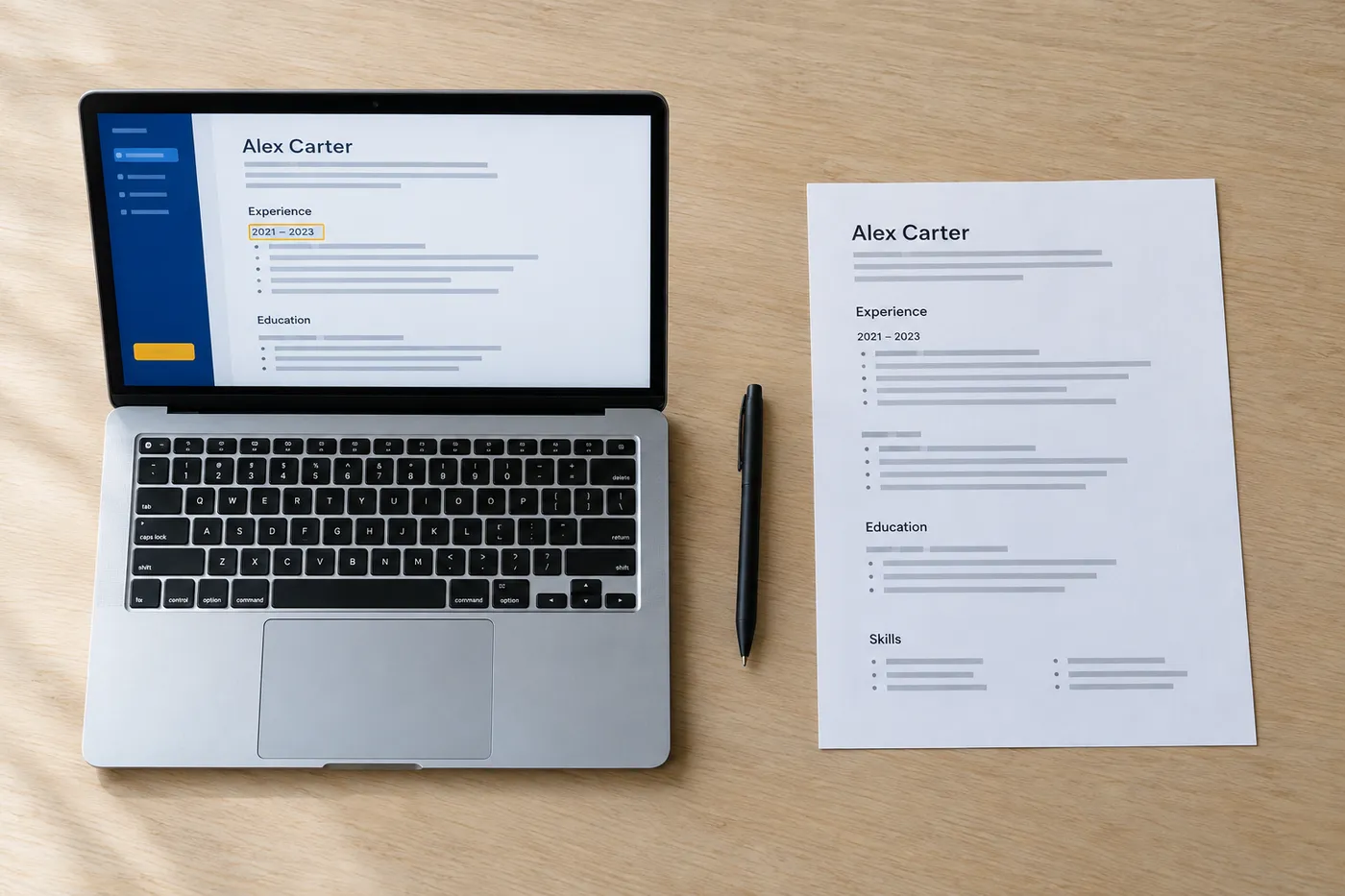
- Use years-only dates (2021–2023 instead of March 2021–January 2023) when the gap is a few months. It is standard practice, not deception.
- Give a substantial gap its own dated entry when you did something during it: freelance work, a certification, caregiving, a sabbatical. A named gap reads as a chapter; an unexplained one reads as a question mark.
- Address a long gap in one matter-of-fact line in your cover letter and move on. Our guide to explaining an employment gap in a cover letter shows how to do it without apologizing.
What you should never do is shuffle jobs out of date order to bury the gap. The parser will rebuild the timeline from the dates anyway, and a recruiter who catches the shuffle trusts nothing else on the page.
Format gets you parsed. Keywords get you ranked.
A clean reverse chronological resume clears the parsing stage, and that is all it clears. What determines whether a recruiter's filtered search surfaces your resume is whether it contains the terms they search for: the skills, tools, and titles from the posting. A beautifully formatted resume with none of the posting's language ranks behind a mediocre one that has it.
The fix is mechanical, not creative. Pull the recurring nouns from the job description (the ATS matches skills and tools far more often than adjectives) and make sure each one you genuinely have appears in your skills section and in a work bullet that shows it in use. Our library of ATS resume keywords by job title shows which terms employers screen for across common roles.
Checking this by hand is slow, which is why a resume checker earns its place in the workflow. In Roleframe, you paste the job posting and get a fit report for that specific job: an ATS score, the exact keywords the posting asks for that your resume is missing, and a prioritized plan for what to change. You make the edits yourself, with Remi, the career copilot, suggesting rewrites bullet by bullet that you approve or discard. If you want to survey the field first, we compared the best ATS resume scanners, free and paid.
A two-minute check before you submit
- Open your PDF and try to select the text. If words select individually, a parser can read it. If the page selects as one block, it's an image and will parse as blank.
- Copy the whole resume and paste it into a plain text editor. If sections appear in the right order with dates attached to the right jobs, the ATS will see the same thing.
- Confirm your name, email, and phone number sit in the document body, not in the page header or footer.
- Scan the posting one last time for required skills you have but forgot to name. An unwritten skill is invisible to a keyword filter.
For a deeper version of this check, see how to check if your resume is ATS friendly.
Frequently asked questions
- Which resume format is most ATS friendly?
Reverse chronological, in a single column, with standard section headings, submitted as a text-based PDF. Hybrid is a safe second choice as long as the full dated work history stays intact below the skills section. Functional resumes parse poorly and signal concealment to recruiters, so skip them entirely.
- Is 80% a good ATS score?
There is no universal ATS scoring scale, so the number only means something inside the tool that produced it. Most real applicant tracking systems don't auto-reject on a score at all; recruiters filter and search by keywords instead. Treat a score like 80% as a keyword-coverage signal: look at which required terms you are missing, add the ones you genuinely have, and stop chasing 100, which usually means keyword stuffing.
- Can an ATS detect a ChatGPT resume?
No. An ATS parses and ranks text; it does not run AI-detection. The real risk is human: recruiters read hundreds of resumes and increasingly recognize the generic rhythm of machine-written bullets, all polish and no specifics. A resume full of claims you can't back up in an interview is a bigger problem than any detector. Use AI to sharpen your own material, not to invent it.
- What is the 7-second rule for resumes?
It's the widely repeated claim that a recruiter spends only a handful of seconds on a resume's first pass. Treat the exact number as folklore, but the behavior is real: the first pass is a fast scan for current title, employer, dates, and a couple of relevant keywords. Reverse chronological formatting exists to survive exactly that scan, which is why it beats cleverer layouts.
- Should I submit my resume as a PDF or a Word file?
PDF, unless the posting explicitly asks for .docx. Modern ATS platforms parse text-based PDFs reliably, and PDF is the only format that guarantees the recruiter sees your layout exactly as you built it. A Word file can reflow, break lines, and flag every phrase the recruiter's spell-checker dislikes. Just make sure it's a real text PDF, not a scanned image.
- Do two-column resumes fail ATS?
Sometimes, and that's the problem: you can't know which parser a given employer runs. Modern systems often handle two columns; older ones read straight across and merge the columns into nonsense. Since a single-column layout loses you nothing and a failed parse loses you the application, single column is the rational default for anything submitted through an online portal.

Ready when you are
Send the tailored resume, not the generic one.
Paste a job posting and Roleframe scores your resume against it, then helps you close the gaps one approved edit at a time, so you apply while the role is still fresh.