Receptionist Resume Example and Writing Guide
by Larbi SahliPublished
A fictional receptionist resume with front-desk bullet examples, scheduling and software guidance, and practical advice for applicants changing careers.
Users have landed jobs at
- 1Password
- OpenAI
- Notion
- justworks
On this page
A receptionist resume should help an employer understand the desk you worked on: who contacted the office, which tasks you handled and how you managed messages, appointments or records. Specific processes are useful even when you do not have performance statistics.
This guide includes a fictional medical front-desk example, sample bullets and advice for applicants moving from another kind of customer-facing work. Use the vacancy to choose relevant evidence; neither an exact keyword nor a particular template guarantees an interview.
What a strong receptionist resume looks like
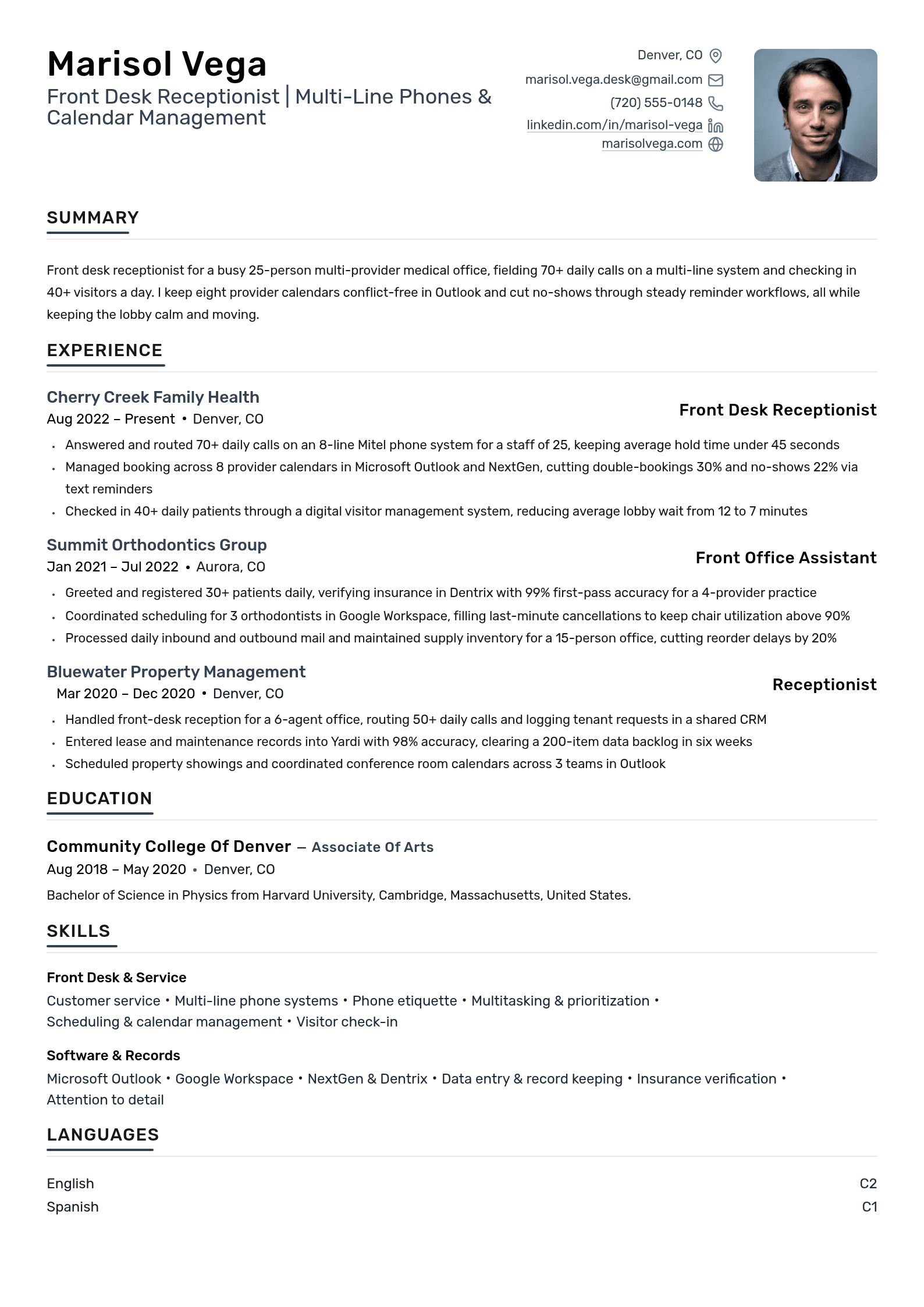
The following resume is fictional, presented as a January 2024 career snapshot. Marisol, the workplaces, education, training and achievements are invented for illustration. The software names are real products, but the sample is not a customer success story or an endorsement by their vendors.
Notice how the experience separates patient booking from staff calendar coordination and describes the checks behind the work. Replace every sample detail with your own evidence. The illustrated volumes are not minimum qualifications or recommended workload targets.
Receptionist resume keywords
Use relevant terms from the vacancy when they describe your work. This list suggests evidence to consider; it does not reveal an employer’s screening settings.
| Possible term | Category | Evidence when relevant |
|---|---|---|
| Front desk operations | Work area | Identify the workplace and duties you handled. |
| Appointment scheduling | Process | Describe the booking workflow and any review or escalation step. |
| Multi-line phone system | Tool | Explain routing, message-taking and relevant system experience. |
| Microsoft Outlook | Software | State whether you used email, staff calendars or another actual function. |
| Calendar management | Process | Explain what you coordinated and whose approval was needed. |
| Data entry | Task | Describe records and checks; an accuracy percentage is optional. |
| Visitor check-in | Process | Describe the approved reception and access workflow. |
| Insurance verification | Task | State your actual role; checking eligibility does not guarantee payment. |
| Privacy training | Training | Name completed training accurately, without claiming official HIPAA certification. |
| Epic or another EHR | Software | List only the system and tasks you actually used. |
| Medical terminology | Knowledge | Identify relevant study or workplace use without implying clinical authority. |
| Google Workspace | Software | Name the applications and work performed. |
| Dentrix | Software | Describe professional use or training accurately. |
| Relevant office training | Training | Give the actual course, provider and completion status. |
| Call volume | Context | Use a supported average or range, with a defined period. |
| Reminder workflow | Process | Describe the action; claim a no-show reduction only with suitable evidence. |
Use the keyword scanner to compare language with a posting, then decide which suggestions fit your experience. Missing terms are not permission to invent qualifications. The keyword guide explains how to keep wording clear without stuffing a list.
Choose relevant skills and show how you used them
Customer service, scheduling and office software may be relevant, but the vacancy determines which skills matter for an application. Do not assume every receptionist role includes patient records, cash handling or a particular phone system.
Pair a relevant skill with an example of its use. “Recorded caller details and confirmed the callback number before routing messages” gives more context than “excellent communication.” A number is optional. Avoid claiming that every soft skill needs a metric or that a synonym automatically fails an ATS.
| Skill to consider | Question to ask yourself | Possible evidence |
|---|---|---|
| Customer service | What kind of request did I handle? | A specific interaction or follow-through process. |
| Communication | What information did I relay or write? | Message-taking, instructions or correspondence within your responsibility. |
| Prioritization | How did I choose the next action? | An approved triage rule or an example of asking for cover. |
| Scheduling | What did I coordinate and check? | Booking systems, conflict checks and escalation of uncertain changes. |
| Telephone handling | Which phone tasks did I perform? | Routing, transfers, messages and supported call-volume context. |
| Office software | Which functions did I use? | Named applications connected to actual tasks; training where relevant. |
| Record keeping | What did I enter or reconcile? | Source checks, corrections and the approved records system. |
| Attention to detail | How did I catch or prevent a specific problem? | A review checklist or discrepancy you identified without a zero-error promise. |
Tailor the examples to the setting. A hotel vacancy might ask for reservations experience; a clinic may name an EHR; an office may emphasize visitor access. List only systems you have used and distinguish training from professional work. General office experience does not automatically establish knowledge of a regulated workflow.
For healthcare applications, describe relevant training and approved record-handling responsibilities. HHS says it does not certify people or products as Privacy Rule compliant. A private course certificate is not an official declaration that you or an employer are HIPAA compliant. Do not put patient information in a resume or drafting tool.
Writing your summary or objective
A short summary is optional. Use it when it connects relevant experience that would otherwise be hard to see. An objective can help explain a change of direction, but neither section has a universal eligibility rule. See summary versus objective for examples.
Fictional experienced summary: “Receptionist with nearly four years across medical, dental and property offices. Experienced in multi-line calls, check-in and booking coordination in NextGen and Dentrix, with clear message records and handoffs.” This matches the sample’s January 2024 timeline.
Fictional career-change opening: “Retail associate moving into office reception, with experience resolving service-desk queries, recording returns and coordinating shift handoffs. Seeking to apply those skills while learning the office’s booking and visitor systems.” Keep the original job titles and do not imply reception experience you have not had.
Write front-desk bullets with useful context
Start with what you did, then add the detail that helps someone understand it. That might be the system, the audience, the review process or the scale. You do not need a percentage in every bullet.
If you use volume figures, check their source and distinguish personal work from office totals. A typical-day estimate should be supported and identified as approximate. Do not invent counts because you assume a resume requires them.
The following examples are fictional wording illustrations:
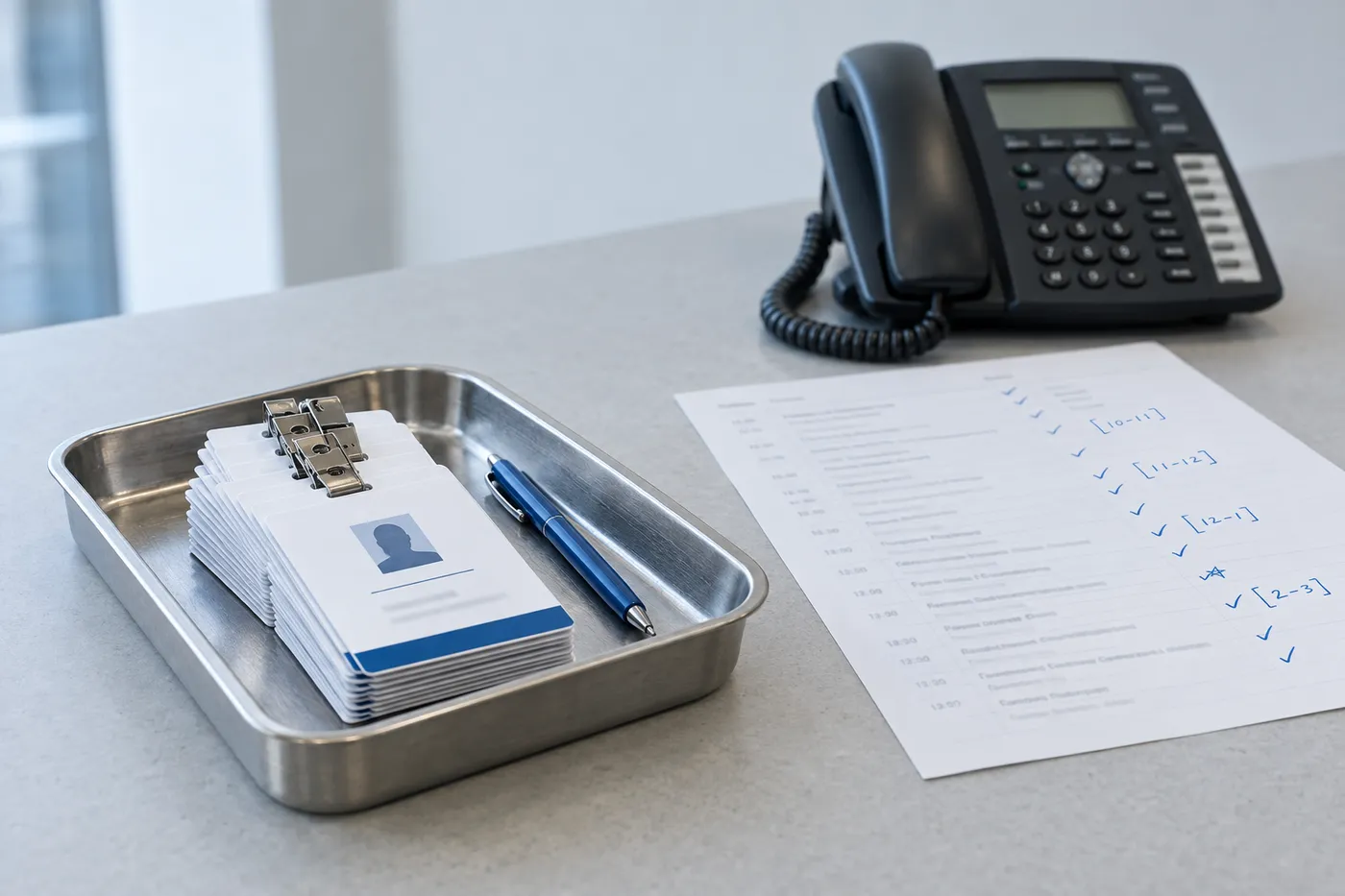
- Instead of “answered phones”: “Routed incoming calls on a multi-line system and recorded callback details for the appropriate team.”
- Instead of “greeted visitors”: “Checked visitors against the appointment list and followed the office’s access procedure for unplanned arrivals.”
- Instead of “scheduled appointments”: “Updated provider bookings in the practice system, checked conflicts and referred uncertain changes to the scheduling lead.”
- Instead of “handled supplies”: “Maintained the supply log and sent low-stock items for approval before ordering.”
- Instead of “administrative tasks”: “Prepared meeting rooms, recorded expense receipts in Excel and drafted correspondence for manager review.”
Give more space to recent, relevant work and less to repetitive duties. Three to five bullets can be a starting point, but their usefulness matters more than an exact count. Keep an important task even when it has no metric. See the bullet-count guide for ways to prioritize.
Show communication and prioritization through a process
Describe how you managed competing tasks without implying that doing everything at once is always safe or effective. An example might explain how you took a message, asked a colleague to cover reception or escalated an urgent concern under the office’s procedure.
For communication, identify the audience and your responsibility. Relaying a patient’s request to a clinician is different from giving medical advice. Recording a client’s message is different from advising on a legal matter. Use accurate boundaries rather than claiming you resolved every problem without help.
A concise process can support both interpersonal and technical skills. The hard and soft skills guide offers more ways to connect a skill to experience.
Education and tech skills
BLS lists a high school diploma or equivalent as typical entry-level education for receptionists. Individual vacancies may require other education or experience. State your actual credential and relevant training; do not treat typical education as a guarantee of eligibility.
Place education where it best supports the application. For a recent graduate it may deserve more space. List office tools you have actually used, with relevant functions where that helps:
- Office applications such as Outlook, Word, Excel, Google Calendar or Sheets, with actual tasks.
- Telephone routing, transfers or a specific system you used.
- The actual appointment or booking platform, distinguishing training from work use.
- Visitor check-in or access systems within your responsibility.
- CRM records and the kinds of entries you maintained.
- Industry-specific systems only where you have relevant experience.
- Typing speed only if relevant and measured; include accuracy or test context where useful.
Match terminology when it refers to the same thing, but do not rename a different product to match a posting. A broad claim such as “advanced Excel” should reflect skills you can explain. There is no universal typing-speed cutoff or office-software checklist for receptionist hiring.
Follow the requested file format and inspect the export. Check reading order, contact details, dates, page breaks and any populated application fields. Neither PDF nor Word guarantees correct processing everywhere. A concise page is often practical, but a second page is reasonable when relevant detail warrants it.
No receptionist experience yet? Here's the move
Look for real transferable work: answering a department phone, responding to customer questions, maintaining a volunteer sign-in list or coordinating bookings. Keep the setting and title accurate. If you have not handled a task, do not add it simply because it appears in the vacancy.
Fictional example: “As a campus office volunteer, answered the department phone, recorded messages and referred questions outside my knowledge to staff.” That describes relevant experience without changing the volunteer into a professional receptionist.
Organize education, skills and experience according to relevance. You do not have to hide your chronology behind a skills-first layout. See entry-level summary examples and the administrative-assistant guide for other structures.
Adapt the example and check the final document
You can use Roleframe to organize and edit a resume. Replace the example’s identity, employers, dates, education, skills, training and invented results. Review imported or generated content rather than assuming the conversion preserved every detail.
Compare the resume with the vacancy, but treat any score or suggested keyword as a prompt to inspect the wording. It cannot establish the employer’s selection rules or prove that you have a qualification. Check the exported file and application fields before submitting.
Frequently asked questions
- How do I describe receptionist work?
Identify the setting, tasks and relevant systems, then explain a process or responsibility. Add supported volume or outcomes when useful; numbers are not required in every bullet.
- Which skills should I include?
Start with the actual vacancy. Scheduling, communication, telephone handling, record keeping and office software may be relevant, but there is no universal top-five list. Include only skills you can support.
- What makes a useful receptionist summary?
A brief connection between your relevant experience and the target role. Name actual work and tools without unsupported adjectives or invented figures. The sample on this page is fictional and should be adapted.
- What if I have no receptionist experience?
Use relevant tasks from study, work or volunteering and identify their original setting. Explain transferable skills without changing job titles or claiming systems you have not used.
- Should I send PDF or Word?
Follow the application instructions and accepted formats. Inspect the actual file, reading order and populated fields. Neither format guarantees correct parsing in every system.
- How does a hotel receptionist resume differ?
Use relevant hospitality duties such as reservations, check-in, guest requests or a property-management system when you have actually performed them. Do not substitute hotel terminology for unrelated experience.
- How long should the resume be?
Use enough space for relevant evidence without repetition. One page can be practical for a concise history, but a second page is not automatically wrong. See the page-length guide for trade-offs.


Build yours on the same template.
Every example here is built on a template you can open in the editor. Start from the same layout and write your own experience into it, then download the PDF free, as often as you like.


