Administrative Assistant Resume: Scheduling, Records and Office Support
by Larbi SahliLast Updated
Describe scheduling, records, expense support and software skills clearly. Includes a fictional admin resume, practical bullet examples and checks for accurate workload claims.
Users have landed jobs at
- 1Password
- OpenAI
- Notion
- justworks
On this page
An administrative assistant resume should explain the work you handled, the people or processes you supported and the tools you used. “Office software” is vague; “Prepared meeting agendas in Word and maintained the appointment calendar in Outlook” tells the reader what you did.
This guide includes a fictional example and ways to describe scheduling, records, communication and expense support. The software lists are editorial prompts, not measured rankings of job-posting frequency. No keyword formula guarantees an interview or an ATS pass.
Match Your Support Experience to the Role
Start with the actual vacancy. A reception-focused role, executive-support position and departmental office role can require different experience. The BLS occupational profile describes work such as preparing documents, scheduling appointments and maintaining files, while noting that duties vary by specialty and experience.
For each relevant requirement, show a concrete task and your responsibility. Booking travel differs from approving expenditure; preparing invoices differs from authorizing payment; supporting a director does not mean supervising the department.
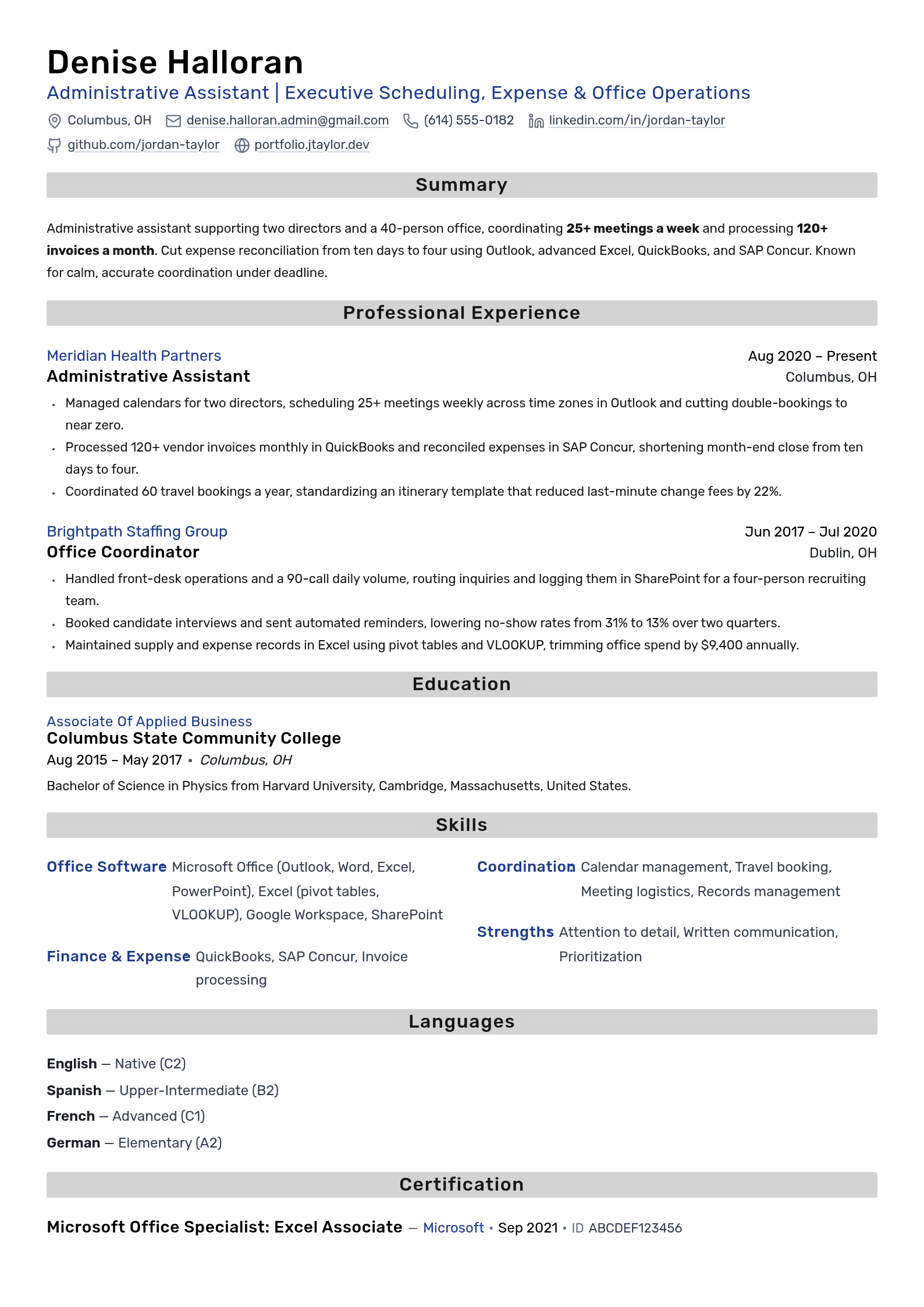
Fictional sample: Denise Halloran and the employers, education, training and recognition below are invented to demonstrate structure. Contact information is placeholder data. Replace every entry and rating with your own evidence; these are not verified career outcomes.
Administrative Tasks and Tools to Compare
Compare these possible administrative tasks and tools with the vacancy. Include only skills you actually used or qualifications you earned.
| Keyword | Type | Where to put it |
|---|---|---|
| Microsoft Outlook | Tool | Calendar or correspondence work |
| Calendar management | Task | People supported and scheduling responsibilities |
| Microsoft Excel | Tool | Actual functions, checks or reports |
| Google Workspace | Tools | Relevant document or coordination tasks |
| Travel booking | Task | Booking, changes and approval boundaries |
| People supported | Scope | Distinguish support from line management |
| Expense reporting | Task | Preparation, checking or submission responsibility |
| Meeting logistics | Task | Materials, rooms and coordination |
| Invoice processing | Task | Entry, checks and approval routing |
| SAP Concur | Tool | Actual travel or expense work |
| SharePoint | Tool | Document or records work |
| Records management | Task | Filing, access and retention procedures followed |
| Microsoft Teams | Tool | Actual coordination use |
| QuickBooks | Tool | Actual invoicing or reporting work |
| Microsoft Office Specialist | Credential | Exact earned certification and version |
| Administrative qualification | Credential | Earned title, issuer and status |
Connect important terms to an actual task. A keyword comparison can help identify wording differences, but it cannot establish the employer’s screening settings. See resume keyword guidance.
What the Fictional Example Demonstrates
- The work identifies scheduling, expense documentation and records responsibilities without claiming authority over all office decisions.
- Named tools are connected to actual tasks; a skills list is not proof of proficiency by itself.
- Contributions are described without invented workload or efficiency figures.
- The summary explains the support context without a fixed formula.
- Section order and length can be adjusted to the application; the example is not a universal template.
Describe Software Through the Tasks You Performed
Identify the employer’s tools, then compare them with your experience. A vacancy may name Microsoft 365, Google Workspace, a CRM, an expense system or specialist software. That does not mean every administrative role requires all of them, or that employers never provide training.
Use the table to organize relevant evidence, not to add every product to your resume:
| Software category | Possible use | Evidence to describe |
|---|---|---|
| Microsoft 365 | Documents, scheduling and presentations | Actual tools and tasks |
| Excel | Trackers, calculations or reports | Functions and validation you used |
| Google Workspace | Shared documents and calendars | Coordination and access practices |
| QuickBooks | Invoices or finance-support records | Your entry, check or reporting responsibility |
| CRM software | Contact records and follow-up | Updates or reports you prepared |
| SAP Concur or Expensify | Expense and travel support | Preparation, submission or checking role |
| Zoom or Microsoft Teams | Meetings and communication | Invitations, materials or hosting support |
| SharePoint, OneDrive or Google Drive | Shared records | Organization and authorized access |
| DocuSign or Adobe Acrobat | Document and signature workflows | Preparation, routing and status tracking |
| HR systems | Personnel or onboarding support | Authorized tasks without disclosing private records |
Name a tool precisely when you used it, and explain the task where useful. QuickBooks experience may involve entering invoices or preparing reports without responsibility for full bookkeeping. “Advanced Excel” is more useful when accompanied by the functions, validation or reports you can actually demonstrate.
Use equivalent wording from the vacancy only when it accurately describes your experience. Systems differ in search and parsing behavior; an exact string is not the sole factor in every hiring decision. A skills list helps navigation, while work examples show application. Do not claim that software names are always the only gaps.
Crafting the Professional Summary
A summary is optional. If included, use a few lines to explain your support context, relevant tasks and tools. A measured improvement can help when supported, but years, workload counts and an efficiency win are not mandatory ingredients.
Fictional experienced example: “Administrative assistant coordinating calendars, meeting materials and expense documentation for a departmental team. Use Outlook, Excel and SharePoint to track requests, prepare schedules and maintain accessible records.”
Fictional transition example: “Retail team member moving into office support, with experience preparing schedules, checking supplier paperwork and responding to customer inquiries. Comfortable maintaining shared spreadsheets and following approval procedures.”
Adapt the content to your actual background rather than copying a title or software stack. See summary versus objective and the summary writing guide.

Write Specific Experience Bullets
A useful bullet combines an action with context: what you handled, how you handled it, and an outcome or deliverable where known. Duties can be useful evidence when described specifically. Every bullet does not need a tool, number or improvement.
The following fictional examples illustrate the level of detail without inventing performance figures:
- “Handled calls” can become “Routed incoming calls, recorded callback details and escalated urgent requests using the office procedure.”
- “Handled expenses” can become “Checked receipts against expense submissions and routed exceptions to the approver in Concur.”
- “Ordered supplies” can become “Maintained the supply tracker, compared vendor quotes and submitted orders for approval.”
- “Scheduled meetings” can become “Coordinated director calendars across time zones and confirmed agenda, attendees and room arrangements.”
If you use workload figures, check calendars, approved reports or other records you may appropriately consult. Distinguish average from peak volume and describe the period. “About 120 per month” is an estimate; “120+” states a lower bound and does not simply mean approximate.
Report improvements only when you know the baseline and comparison. A hypothetical no-show rate falling from 31% to 13% drops 18 percentage points, not 18% relative. Your contribution to a team’s financial close is not necessarily control of the whole close process.
When numbers are unavailable or restricted, explain the system, checklist or handoff you improved. Keep enough bullets to cover distinct relevant work; see bullet-count guidance.
Show Communication, Organization and Discretion
Communication, organization, prioritization and discretion can be demonstrated through tasks. A list of qualities alone gives little context, but the same skill can appear in a short skills section and in an example.
Consider evidence such as:
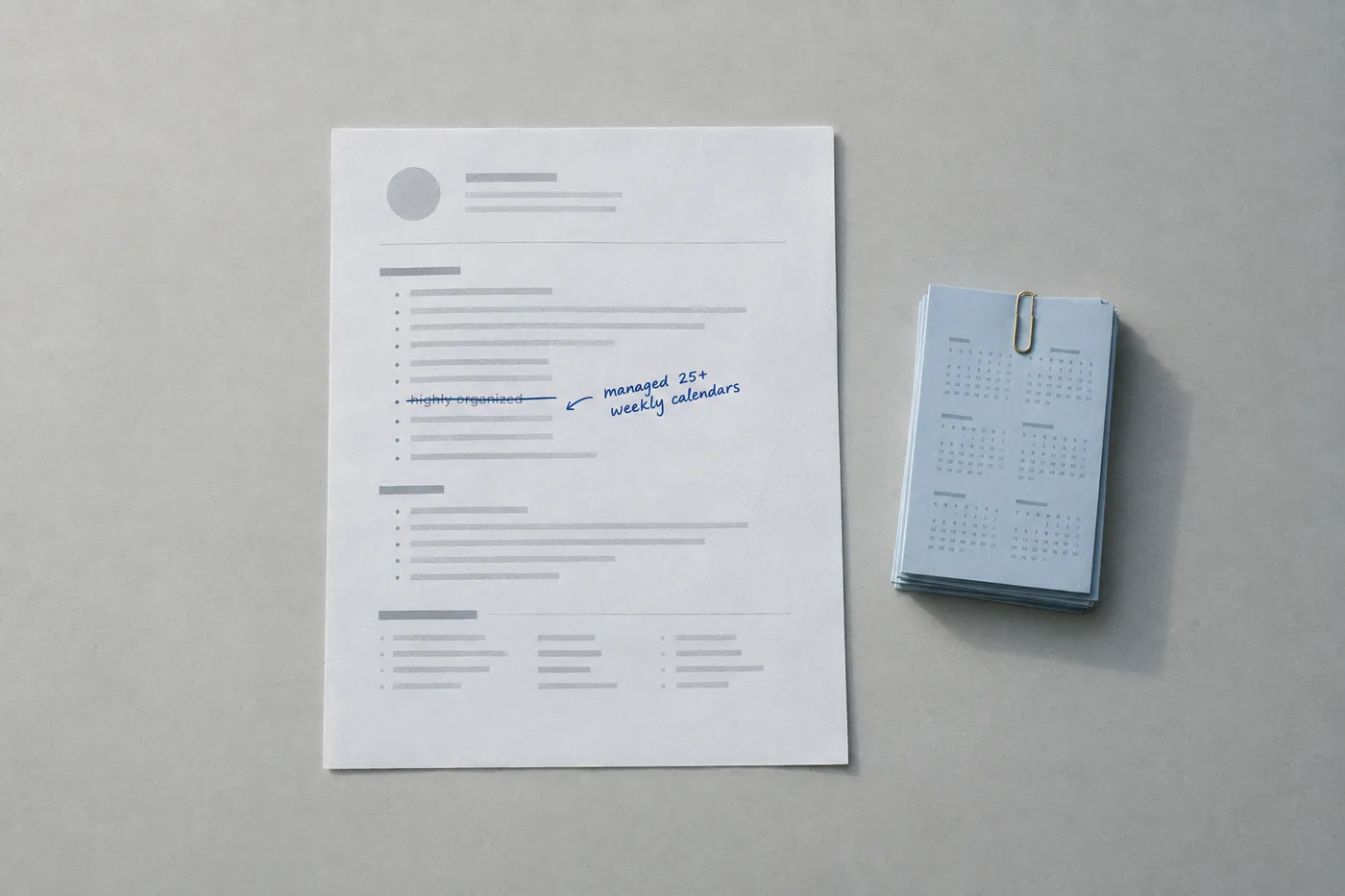
- Communication: describe preparing correspondence or minutes for review; distinguish drafting from authority to send on someone’s behalf.
- Organization: explain a filing convention, tracker or meeting checklist and how colleagues used it.
- Prioritization: describe how requests were triaged and when you escalated conflicts, rather than inferring quality from volume alone.
- Discretion: describe authorized access and handling procedures at a high level. Do not include private payroll, patient, client or personnel information to prove experience.
- Adaptability: explain an actual coverage or process change and the responsibilities you took on.
Use the vacancy’s terminology when it fits, then support it. Do not imply that naming “confidentiality” proves compliance or that every employer weighs soft skills identically. See hard and soft skills.
Formatting and Layout Best Practices
Clear formatting helps readers locate dates, responsibilities and qualifications. It is also an opportunity to show careful document preparation. Avoid universal claims about how strongly every admin hiring manager weighs design.
- Choose length by relevance and instructions, not an automatic ten-year threshold; see one page or two.
- Keep job titles and dates clear. Reverse chronology is a practical option; a skills-focused introduction can still retain a clear work history.
- Use recognizable section headings and consistent organization.
- Choose readable type, spacing and bullets, checking the exported result at normal size.
- Use a layout that keeps important information easy to locate. Design elements do not have identical effects in every parser.
- Submit an accepted file type and inspect the document and any parsed fields. No format guarantees perfect rendering or parsing.
Check spelling, dates, links, reading order and any parsed application fields. A text-based PDF can still parse incorrectly, and Word can also be accepted. Use the ATS formatting guide as a checklist rather than a guarantee.
Prepare Your Administrative Assistant Resume
Use Roleframe to organize the work you have actually done. After importing a resume, compare the roles, dates, software names and bullet order with the original. Review AI-assisted wording for invented workload figures, efficiency gains or payment authority.
Tailor by selecting relevant evidence and keeping the rest in a factual base resume. A match assessment is an editing aid, not an employer’s ATS score. Inspect the exported file and application preview before submitting.
Frequently asked questions
- How do I describe administrative assistant experience?
State the people or processes supported, the tasks you performed and tools you used. Add workload or outcomes only when supported. Distinguish preparing or routing documents from authority to approve them.
- What are the top three administrative skills?
There is no universal ranking. Scheduling, software use and communication can be relevant, but the vacancy may emphasize reception, records, finance support or specialist procedures. Match the actual requirements.
- What is the 30-second resume rule?
It is an informal reminder to make a resume easy to scan, not a verified time limit for every recruiter. Put relevant information where it is easy to locate without assuming only two bullets will be read.
- What makes a useful administrative summary?
If needed, summarize your support context, relevant tasks and tools. Use an actual outcome where helpful, but do not invent numbers or copy a fictional example as your own.
- How do I write a resume without admin employment?
Use accurately labeled evidence from other employment, study or volunteering: scheduling, customer communication, records or document preparation. Provide a measured typing speed only if relevant. Training can help, but a certification is not automatically required or inexpensive; check the official Excel Associate details before naming that credential.
- Should I submit PDF or Word?
Follow the accepted formats. Inspect spacing, text, links and parsed fields. A text-based PDF does not guarantee perfect parsing, and a Word document may be appropriate when accepted.
- Is an administrative CV different from a resume?
Terminology and expectations vary by country and employer. Follow the application instructions rather than assuming “CV” always means a one-page document or that only academic applications use a longer format.


Build yours on the same template.
Every example here is built on a template you can open in the editor. Start from the same layout and write your own experience into it, then download the PDF free, as often as you like.


