Data Entry Resume Example: Record Checks, Tools and Measured Accuracy
by Larbi SahliLast Updated
Describe data entry work with accurate tool, workload and quality evidence. Includes a fictional resume and guidance on typing tests, audit rates and record validation.
Users have landed jobs at
- 1Password
- OpenAI
- Notion
- justworks
On this page
A data entry resume should explain what information you handled, the system you used and how you checked the result. Typing speed may matter when the vacancy requests it, but a typing-test score is not the same as workplace record accuracy.
This guide includes a fictional resume and ways to describe data checking, software use and measured performance. The tool lists are editorial prompts, not a survey of posting frequency or a guarantee of passing an ATS filter.
Use Measures That Match the Work
Choose measures that match the work. Words per minute, numeric keystrokes per hour, records processed and audited accuracy describe different things. A high score on one does not establish the others, and a resume without metrics does not prove poor work.
O*NET’s data entry profile includes comparing data with source documents to detect errors. On a resume, explain the checks and exception handling you actually performed, as well as throughput where reliable figures are available.
If an employer requests a typing assessment, provide an honest result under the stated conditions. A self-administered practice test is not an employer audit or professional certification.
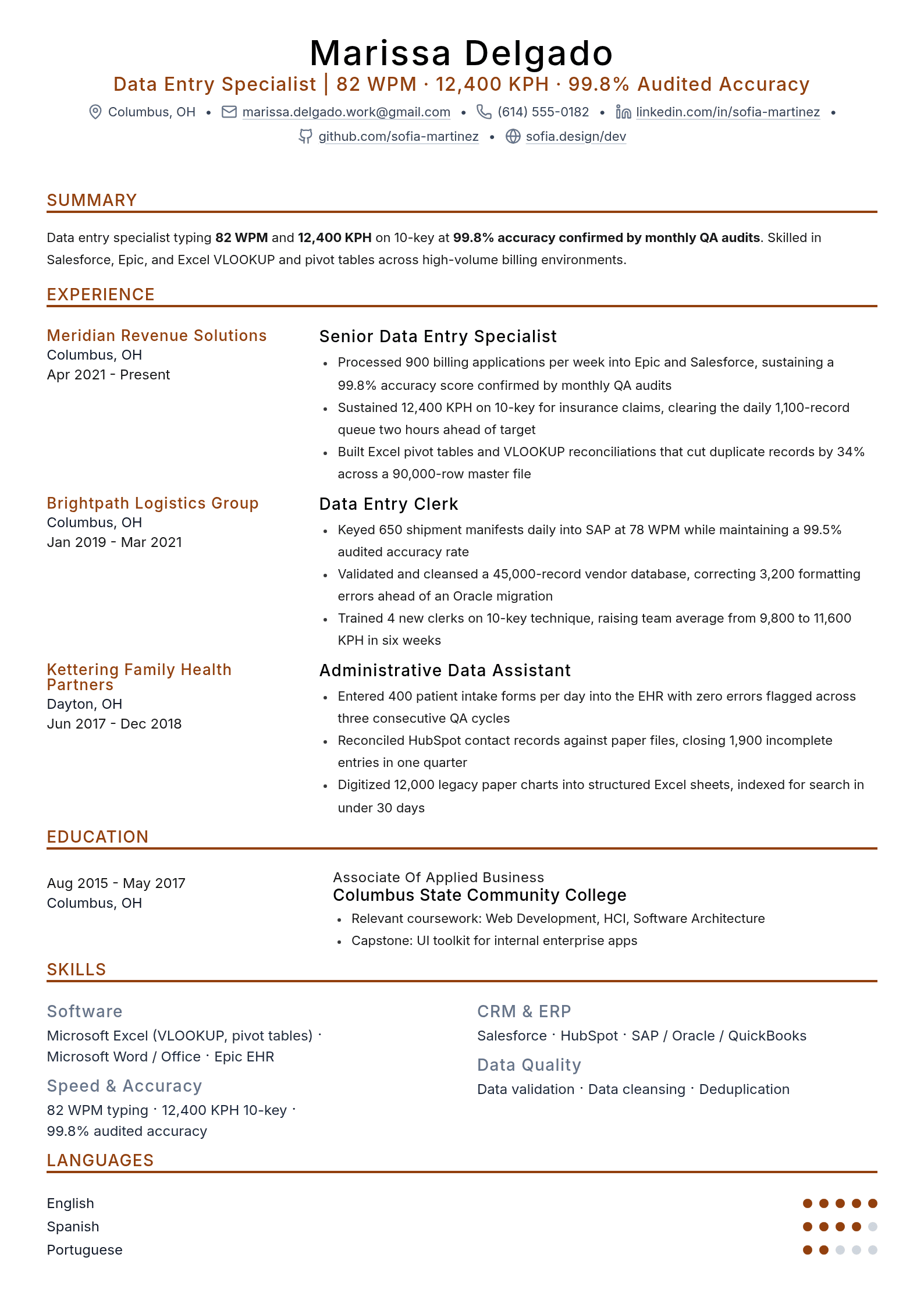
A Fictional Data Entry Resume
Fictional example: Brianna Kowalski and the employers, education, projects, training and recognition below are invented. Contact details are placeholders. The timeline shows data-entry work since 2017, not a verified four-year history. Replace every entry and rating with your own evidence.
The sample focuses on validation and exception handling without invented audit results. If you have relevant measured scores, add their source, date and context rather than copying numbers from an example.
Data Entry Terms to Compare with the Vacancy
Compare these possible data-entry tasks and tools with the vacancy. No single software stack or pair of performance figures is required for every role.
| Keyword | Type | Where to put it |
|---|---|---|
| Microsoft Excel | Tool | Actual functions and checking tasks |
| Record accuracy | Measure | Unit, denominator, period and audit source |
| Typing speed | Measure | Test source, date and conditions |
| Salesforce | Tool | Actual record updates or reports |
| EHR software | Tool | Authorized administrative tasks only |
| Data validation | Practice | Checks and exception handling |
| 10-key entry | Skill | Separately measured numeric-entry result if relevant |
| Data cleansing | Practice | Rules, review and authorized changes |
| QuickBooks | Tool | Actual invoice or record task |
| SAP | Tool | Actual product/module and responsibility |
| Records management | Practice | Organization and procedures followed |
| Deduplication | Practice | Matching criteria and approval process |
| KPH | Measure | Task, period and test method |
| HubSpot | Tool | Actual CRM use |
| Sensitive-data handling | Practice | Authorized procedures, not blanket compliance claims |
| Relevant certification | Credential | Exact earned title and status |
Use only terms supported by your work or training. A keyword comparison can help with wording, but it cannot establish the employer’s hidden screening criteria. See resume keyword guidance.
Use these features of the fictional example as writing prompts:
- Tasks identify the data and checking process rather than claiming a metric for every bullet.
- Typing tests and workplace quality measures remain separate.
- Tools are named where actually used, with specific tasks and honest depth.
- Numbers, if added, need a source, definition and permission to disclose.
Connect Tools to Actual Data Tasks
Read the actual vacancy to identify tools, data types and responsibilities. This table is not ordered by market frequency. You do not need to list every product, and using one CRM does not prove expertise in all CRM systems.
| Possible tool or measure | Relevant evidence | Accuracy check |
|---|---|---|
| Excel | Sorting, formulas, validation or reconciliation | State features you used rather than claiming every advanced function |
| WPM | Timed text-entry test | Label source, duration and scoring method |
| Record accuracy | QA sample or full audit | Define unit, denominator and coverage |
| 10-key KPH | Numeric entry assessment | Do not infer it from text WPM |
| CRM software | Contact or application updates | Name actual system and responsibility |
| Validation and cleansing | Checks, exceptions and approved corrections | Do not claim all flagged records were errors |
| Word or office tools | Document preparation | Include when relevant |
| ERP or accounting systems | Order, invoice or master-data work | Distinguish entry from administration |
| Google Sheets | Actual spreadsheet work | No requirement to list it alongside Excel |
| SQL | Queries you wrote or used | Do not imply database-administrator responsibility |
Name software you actually used and describe the task or level of responsibility. “Database administration” is not a more impressive synonym for entering records; administration can involve a different technical and operational scope.
Use the vacancy’s wording where it accurately describes the same work. Search and parsing behavior varies, so do not assume generic terminology always matches nothing or that one exact phrase guarantees a pass. A match assessment should guide editing, not encourage unsupported skills.
The Objective or Summary
A summary is optional. Use it to explain relevant data, tools and checking practices. A short objective can clarify a transition, but there is no rule that applicants with any measurable experience must use one particular format. See summary versus objective.
Fictional example: “Data entry specialist with experience in billing and logistics records. Use Excel and business systems to compare source documents, identify missing fields and route discrepancies for review.” Add a tested speed or authorized audit result if relevant and properly labeled.

Describe Relevant Work Without a Data Entry Job
Without employment experience, describe accurately labeled coursework, volunteering or personal projects. A typing-test score can add evidence, but a number is not mandatory.
Fictional example: “Recent office-administration graduate seeking a data-entry role. Prepared a sample inventory workbook using sorting, validation rules and checks against source sheets.” If you include a test result, state that it was a practice test rather than a workplace accuracy audit.
Structuring the Experience Section
A useful bullet explains the task, context and checking process. Add workload or outcome measures when supported, without requiring a number in every bullet. Use these elements as a checklist:
- Use an accurate action such as entered, checked, reconciled or flagged.
- Describe the data and system when useful and permitted.
- Add actual workload with its period and scope if supported; a number is optional.
- Explain checks, escalation or an appropriately defined outcome without inventing an audit.
Fictional revision: “Entered customer details into the database” becomes “Entered customer details in the CRM, checked required fields against approved source forms and routed conflicting addresses for review.” The second version explains the work without an invented record count.
Choose enough bullets to cover distinct relevant contributions. There is no fixed three-to-five rule for every role; see bullet-count guidance.
Distinguish Typing Scores from Record Accuracy
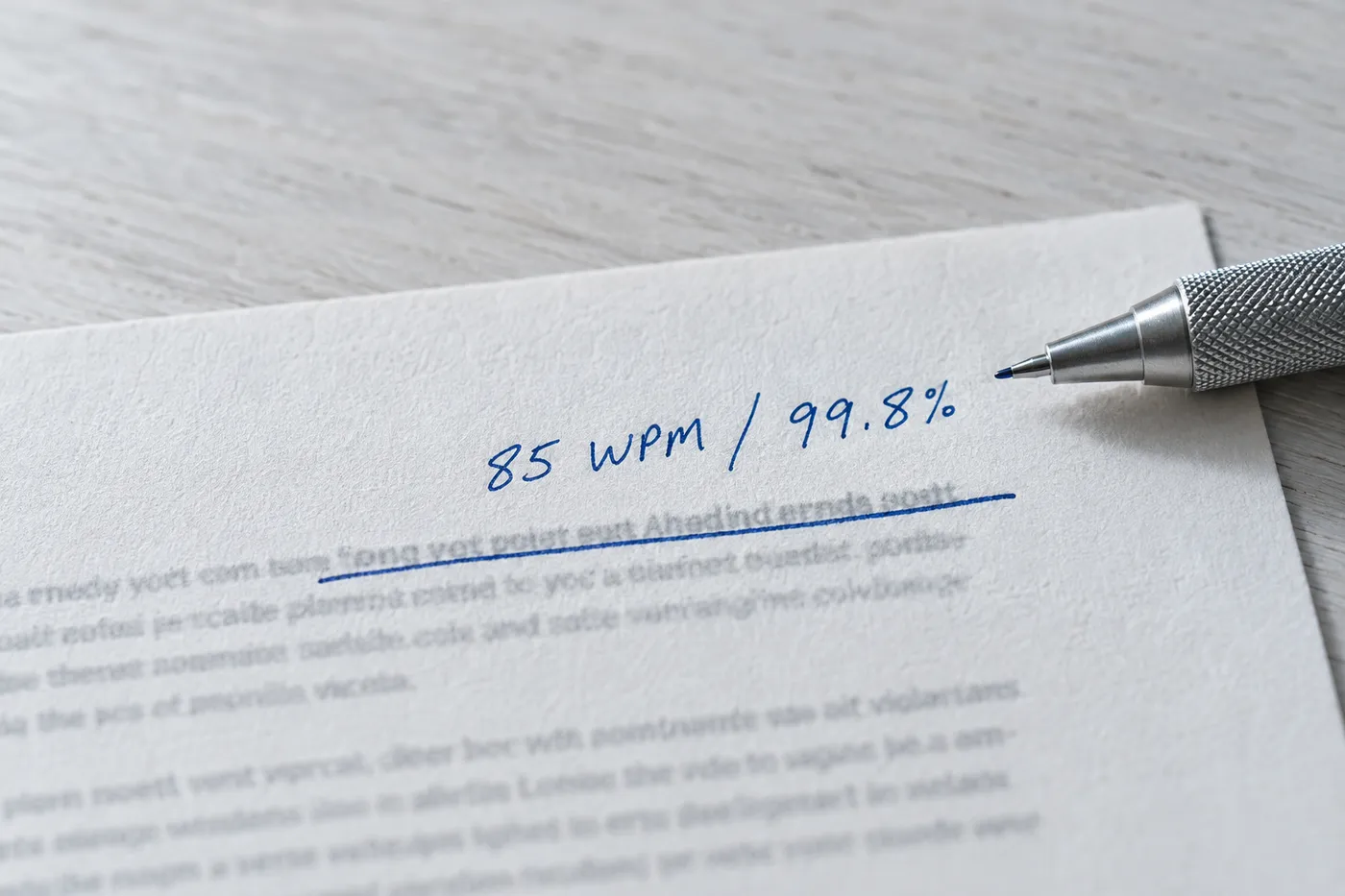
Typing tests: record the test source, date, duration, task and whether the score is gross or net of errors. Test numeric entry separately when the vacancy requests 10-key KPH. Do not convert a text WPM result into claimed numeric-keypad proficiency.
Workplace accuracy: define the unit and denominator. In a hypothetical audit of 1,000 records, 997 error-free records gives 99.7% record-level accuracy under that audit rule. That is not the same as field-level or keystroke accuracy, and a sample result should not be described as a complete audit of all work.
Other outcomes: claims rejected, invoices returned and payments delayed can have causes beyond entry errors. Do not relabel them as your accuracy rate without a valid method. If no workplace audit exists, describe your checks or an accurately labeled personal project; do not invent an audited percentage.
If a score is below a stated requirement, answer required fields honestly and check whether the employer accepts further assessment or training. Practice can help, but there is no guaranteed two-week improvement. An optional resume score may be omitted without implying that you meet a requirement you do not.
Formatting for Readability
Make the work easy to scan with clear headings, readable text and accurate dates. The “seven-second rule” is a familiar guideline, not a universal measured deadline. A one-page resume can work, but use the length required by the application and relevant evidence; see length guidance.
A simple layout is a practical starting point. Follow accepted file formats and inspect text, reading order, links and parsed fields. Neither PDF nor Word guarantees perfect rendering or extraction. Choose a readable font size rather than shrinking content to fit a rigid limit.
Writing a Data Entry Resume With No Experience
Identify genuine transferable work, but keep its label and meaning accurate. Cash-drawer balance, typing-test accuracy and error-free database records are different measures and should not be presented as interchangeable.
- Retail work: describe transactions or records accurately; a balanced cash drawer is not a database-entry accuracy score.
- Administrative work: explain scheduling, logs or spreadsheet tasks with actual tools and responsibility.
- Study or volunteering: label projects and organization roles honestly, including how you checked the data.
- Practice tests: label scores as test results, with conditions; they do not establish workplace audit performance.
Choose section order around your strongest relevant evidence and the instructions. Education or a project may lead for a new applicant. A certification belongs only if earned, with the exact title and status; a course alone is not the same credential.
For a data-cleanup example, explain how proposed changes were checked and approved. Microsoft notes that removing duplicates deletes data and recommends preserving the original first. In workplace examples, follow authorized backup, access and retention procedures; fuzzy matches should not be treated as proof that records represent the same entity.
Prepare Your Data Entry Resume
Use Roleframe to organize your actual tasks and qualifications. After importing a resume, compare titles, dates, percentages and system names with the original. Review AI-assisted wording for invented speed, audit scores or compliance claims.
Tailor the evidence to the vacancy and inspect the final file. A match assessment is an editing aid, not the employer’s ATS score or a prediction of hiring success.
Frequently asked questions
- What is the seven-second resume rule?
It is a scanning guideline, not a universal deadline. Make relevant tasks, qualifications and supported measures easy to find without assuming only the top third is read.
- Which data entry skills should I include?
Match the vacancy with your actual typing, spreadsheet, system, validation and records-handling experience. There is no universal top-five ranking or requirement to know every CRM.
- How should I describe data entry professionally?
Use your actual title and precise tasks, such as entering approved records, checking source documents or routing discrepancies. Do not relabel entry work as database administration unless you held that responsibility.
- What is an example of relevant experience?
A fictional example is “Maintained a club membership spreadsheet, checked required fields against signup forms and flagged conflicting entries for review.” Label volunteer or academic work accurately; a numerical outcome is optional.
- Must a data entry resume be one page?
One page may be sufficient, but follow instructions and retain relevant evidence. Page count does not determine parsing reliability or whether a reader considers your application.
- Should I submit PDF or Word?
Use an accepted format and inspect the document and parsed fields. Neither format guarantees perfect layout or extraction.
- What if I do not know my accuracy rate?
Describe the checking process instead. Use an authorized audit result only with its definition and scope. A practice typing-test percentage is not workplace accuracy, and downstream rejection rates may have other causes.


Build yours on the same template.
Every example here is built on a template you can open in the editor. Start from the same layout and write your own experience into it, then download the PDF free, as often as you like.


