Android Developer Resume Example (Kotlin & Java)
by Larbi SahliLast Updated
A fictional Android developer resume with Kotlin and Java examples, migration bullets, grouped Jetpack skills, and guidance on reporting app-health measurements.
Users have landed jobs at
- 1Password
- OpenAI
- Notion
- justworks
On this page
An Android resume should explain what you built and maintained: screens, state, data access, background work, testing, and releases. Choose the languages and libraries relevant to the target posting rather than assuming that every team uses the same stack.
This guide uses a fictional Kotlin-focused resume, then shows how to emphasize Java and mixed codebases when appropriate. It also explains how to describe app-health measurements without confusing downloads, active users, crash-free sessions or business outcomes.
Crafting an Android developer resume for modern ATS
ATS platforms can parse applications and support recruiter searches, with behavior depending on the product and employer configuration. Use recognizable names such as Jetpack Compose, Kotlin Coroutines and Hilt, but do not assume that a spelling variant automatically causes rejection.
Your more useful goal is to connect each important technology to work you performed and make the document readable.
- Use clear section names such as Experience, Projects and Skills.
- Use recognizable library names and describe the feature or decision they supported.
- Connect important tools to experience or project evidence instead of relying on a skills list alone.
- Use a truthful target headline when useful, while preserving your actual employment titles.
- Follow the requested file type. Use selectable text, inspect the export and check fields imported into the application form. Columns, tables and document headers can cause parsing problems.
These formatting choices support readability. For a specific parser example, Greenhouse documents problems with complex layouts and image-only resumes. No format guarantees correct handling by every ATS.
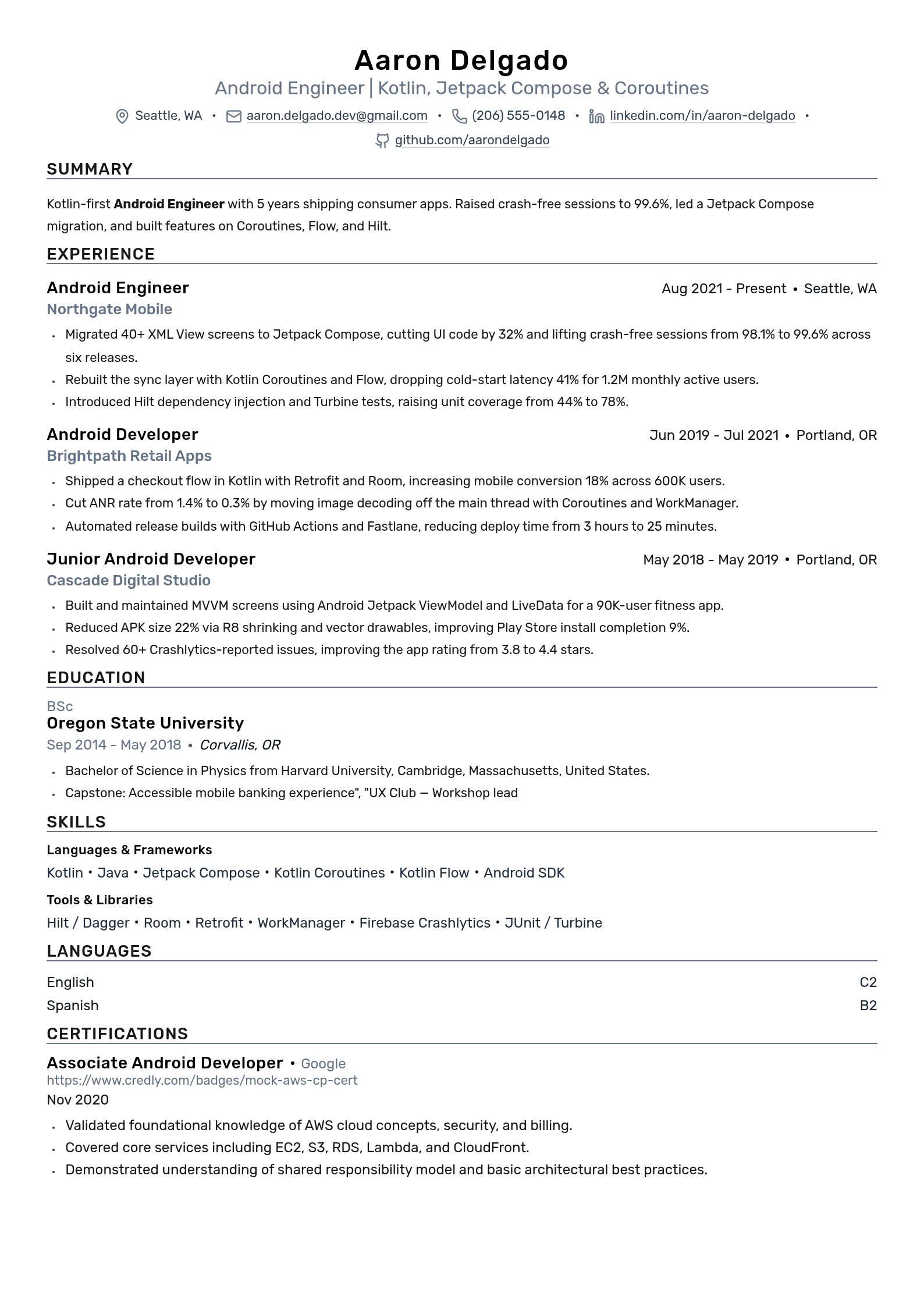
Android developer resume example (Kotlin focus)
The resume below is a fictional teaching example set in September 2024, with six years of illustrative Android experience. Its person, employers, projects, award and historical certification are invented sample details, not verified achievements. It shows how to connect Kotlin, Compose, Coroutines and Hilt to concrete implementation work.
Use the structure, then replace every claim and placeholder link with your own evidence. The project chronology distinguishes an earlier Views-based app from a later Compose migration.
Android Developer resume keywords
Select Android terms relevant to the posting and work you actually performed. Include measurements only when you can explain their source, scope and time window.
| Keyword | Type | Where to put it |
|---|---|---|
| Kotlin | Tool | Skills and relevant work; a truthful headline may also name it. |
| Jetpack Compose | Tool | Skills list and the bullet about screens you built |
| Android SDK | Tool | Skills list, with the minimum API level you supported |
| Kotlin Coroutines | Tool | Skills list and the bullet on async or background work |
| MVVM | Methodology | Skills list and the bullet describing your app architecture |
| Retrofit | Tool | Skills list, beside your networking layer bullet |
| Hilt | Tool | Name Hilt or direct Dagger use accurately; do not add either merely because requested. |
| Room | Tool | Skills list and any offline or caching bullet |
| Java | Tool | Skills list, if you maintained legacy Android code |
| Kotlin Flow | Tool | Skills list, next to Coroutines |
| Crash-free session rate | Metric | A measured stability bullet, with release and time-window context. |
| Firebase Crashlytics | Tool | Skills list and the bullet where you cut crashes |
| ANR rate | Metric | Bullet on Play vitals or startup performance work |
| Gradle | Tool | Skills list, with build time or modularization work |
| WorkManager | Tool | Skills list and any background sync bullet |
| Espresso | Tool | Skills list with JUnit and your test coverage bullet |
Add only the terms that describe work you have actually done, and put each one inside a line that shows the result. To check a specific posting rather than this general list, run it through the free resume keyword scanner, or see the full resume keywords by job title.
The headline and summary
Use a headline that accurately describes your target work. A concise summary can name your relevant experience, languages and a specialty such as UI migration, offline data or app stability. Keep it consistent with the roles and dates below. Add a metric only when it brings useful, supported context.
Experience bullets that carry the stack
A useful bullet explains the action, technology and decision or outcome. For example, this fictional rewrite is more specific than a general maintenance duty: “Migrated checkout screens from XML Views to Jetpack Compose and added tests for restored state, loading and payment errors.”
If you measured an improvement, state what changed and under what conditions. A library migration alone does not prove that it caused higher ratings, fewer crashes or better conversion.
Skills and projects
Use labeled skill groups to make the technologies easy to scan. Keep the most relevant tools visible and connect important ones to work in the resume.
A project can demonstrate UI behavior, architecture or testing that is absent from paid work. A permitted Play Store link, repository or demo can support it, but public distribution and large download counts are not requirements for every junior application. The fictional projects above use placeholder links and make no real adoption claims.
Adapting the example for Java and legacy Android roles
Some roles emphasize Java, Views, existing libraries or mixed Kotlin/Java modules. Use the posting and your actual experience to choose emphasis. Maintenance can provide strong evidence: tracing a defect, improving test coverage, handling a migration, or keeping an interface stable.
Start from the same factual work history and adjust which contributions lead:
- Make Java prominent when the role emphasizes it and you have relevant experience.
- Explain a migration with its scope and tests. State the monitoring period if claiming no regressions, rather than promising none occurred.
- Show Kotlin-Java interop through a module or interface you worked on.
- Keep RxJava or Views when relevant; name migration experience only if you performed it.
- Do not claim Kotlin or Compose experience you lack. A relevant learning project can show progress when clearly labeled.
Kotlin, Java and Compose: choosing relevant evidence
Google describes Android development as Kotlin-first, a direction announced in 2019, while continuing Java support. That is platform guidance, not a survey proving that every employer requires Kotlin or Compose.
Show the stack you actually used. For a Compose role, explain state, navigation, testing or a migration. For a Java-heavy role, explain maintenance and interoperability. Use the posting to choose the order of skills rather than applying one fixed order to every application.

| Skill or keyword | What it signals in a posting | How to handle it on your resume |
|---|---|---|
| Kotlin | Kotlin Android work | Describe features, concurrency or interoperability you implemented. |
| Java | Java Android or mixed-language work | Give relevant maintenance, testing or interop evidence. |
| Jetpack Compose | Declarative UI | Describe screens, state and tests; distinguish a personal project from professional work. |
| XML layouts / Views | View-based UI | Keep relevant experience; do not assume every app is being migrated. |
| Kotlin Coroutines / Flow | Asynchronous work and streams | Explain cancellation, data flow, thread use or a tested migration. |
| RxJava | Reactive APIs | Describe actual use and migration work only when performed. |
| Hilt / Dagger | Dependency injection | Name the tooling and scope you used; Hilt builds on Dagger. |
| MVVM / Clean Architecture | Architecture terminology | Explain the actual boundaries and responsibilities of a module. |
Write recognizable tool names, such as Kotlin and Java, separately for clarity. There is no verified universal ATS rule that rejects a slash-separated list. Accurate context matters more than punctuation tricks.
How to quantify app performance, crashes, and downloads
Use metrics from tools you have access to and permission to discuss. Crashlytics distinguishes crash-free sessions from crash-free users; these percentages describe different populations. Android vitals reports app-health measures such as user-perceived crash and ANR rates.
Before using a figure, record the metric definition, release or build, time window, device or cohort, and your contribution. The following examples are illustrative measurement patterns, not results observed from the sample candidate.
| Metric | Where to find it | Illustrative bullet pattern and evidence needed |
|---|---|---|
| Crash-free sessions | Firebase Crashlytics | Improved crash-free sessions from 98.4% to 99.8% after fixes; identify comparable release windows and session counts. |
| User-perceived ANR rate | Android vitals in Play Console | Reduced the reported ANR rate after investigating blocked main-thread work; state the build, time window and affected devices. |
| Cold start time | Macrobenchmark; supported startup metrics | Reduced measured startup time after deferring initialization; give device, build type and comparable benchmark runs. |
| App size | Play Console or build analysis | Reduced download size after resource or code shrinking; name the device configuration and compare equivalent artifacts. |
| Downloads and ratings | Play Console | State downloads or rating over a defined period as app context. Do not claim your feature caused the change without supporting analysis. |
| Retention or feature adoption | Product analytics | Specify the event, cohort and window. Distinguish a retention percentage-point change from a relative percentage change. |
| Build and release speed | CI logs | Reduced median pipeline duration after a specific change; compare equivalent workloads and disclose cache conditions. |
An approximation still requires evidence. If you cannot recover a reliable measurement, explain the mechanism and scope: “Deferred SDK initialization until after the first screen and added startup benchmarks.” Do not replace a missing exact figure with an invented relative percentage.
Keep confidential measurements private unless authorized. Aggregation or a relative percentage does not automatically make a company result safe to disclose.
Listing Android Jetpack, Coroutines, and Dagger/Hilt
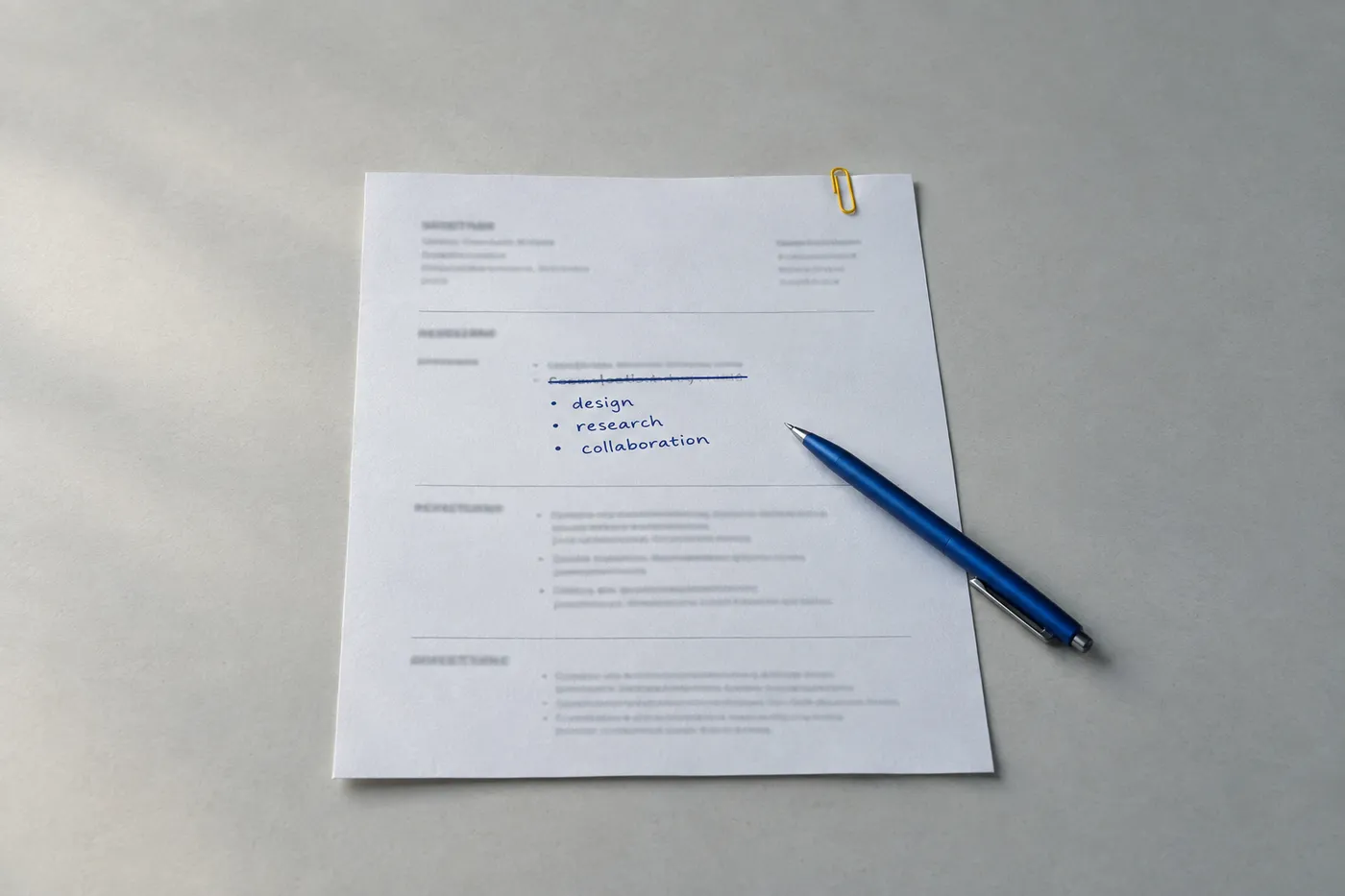
Group a short selection of relevant skills so readers can see how the components fit together. These are possible categories, not a checklist that every Android developer must fill:
- Languages (Kotlin, Java)
- UI (Jetpack Compose, XML Views, ConstraintLayout, Material 3)
- Architecture and DI (MVVM, Clean Architecture, Hilt, Dagger)
- Async and data (Kotlin Coroutines, Flow, Room, Retrofit)
- Testing and tooling (JUnit, Espresso, Compose UI testing, Gradle, GitHub Actions)
Hilt is built on Dagger; describe your experience accurately rather than adding both names solely to match a posting. Likewise, distinguish Coroutines from Flow and connect each to what you implemented.
Keep older tools when they explain relevant maintenance or migration work. If a technology is no longer central to your work, give recent, relevant experience more space. Be ready to explain the tools you list.
Import your existing resume and update your stack
Update the resume from your work history, not by swapping in new library names. Import a PDF into Roleframe, then check parsed names, dates, sections and bullets before editing. Compare a version with the target posting and review suggestions against the work you can support.
For manual editing, the free resume editor needs no account and offers PDF export. Inspect the exported file. Account AI features and document allowances depend on the plan.
- Name the tools you actually used and connect them to implementation details.
- Add supported measurements with their source and context; otherwise describe scope and decisions.
- Prioritize the responsibilities in the target role, whether Kotlin, Java, SDK work, UI or another specialism.
- Review suggestions critically and verify all dates, credentials and accomplishments before accepting edits.
Tailor your resume for specific mobile roles
Read what the team needs. A posting may emphasize UI, SDK APIs, accessibility, release tooling or maintaining client applications. Select the contributions that demonstrate those responsibilities and retain accurate employment titles.
Roleframe can compare your resume with a posting and suggest gaps for review. The report is an editing aid, not an employer's ATS score or a prediction of interviews. Add a skill only when you have evidence for it, and review AI wording before accepting it.
Frequently asked questions
- Should I list Kotlin or Java first on an Android developer resume?
Put the language most relevant to the posting first when you have used it. Google recommends Kotlin for new Android development, while Java remains supported. Do not claim Kotlin experience merely to satisfy a perceived rule.
- How long should an Android developer resume be?
Choose readable space for relevant evidence. One page can work for a short history; two may suit broader technical or leadership work. There is no universal eight-year cutoff or proven advantage for a fixed number of bullets.
- What should a junior Android developer resume include with no work experience?
Use projects, coursework, internships or other relevant work to demonstrate Android decisions, testing and debugging. A public app, demo or repository helps when shareable, but Play Store publication and download counts are not universal requirements.
- Should I put Play Store and GitHub links on my resume?
Include working links when you own or may share the material. Explain your contribution and provide useful repository documentation. Put essential contact information in the main document body rather than a word-processor header or footer.
- Do I need Jetpack Compose on my resume in 2026?
Compose is worth demonstrating when the role asks for it. If you are learning it, describe a genuine project or migration and distinguish it from professional experience. Roles differ; do not assume every Android job requires the same UI toolkit.
- Is Flutter or React Native worth listing on a native Android resume?
List genuine cross-platform experience when relevant and make its scope clear. Keep the tools central to the target role prominent. Employer preferences differ, so avoid assuming an extra skill always helps or hurts.
- Do Android certifications help?
List an earned credential accurately, including its status and dates when relevant. Google's Associate Android Developer exam is retired; existing credentials remain valid only through their expiration dates. The historical sample credential is illustrative. A credential supplements practical evidence and does not guarantee hiring preference.


Build yours on the same template.
Every example here is built on a template you can open in the editor. Start from the same layout and write your own experience into it, then download the PDF free, as often as you like.


