ATS Friendly Resume Templates: 12 That Parse Cleanly (2026)
12 ATS friendly resume templates, each run through a real parser with the extracted text checked. See which layouts parse cleanly and which break.

On this page
"ATS friendly" is the least verified claim in the resume template business. Galleries stamp it on every design they sell, and almost none of them have pushed a single layout through an actual parser to see what comes out. So I did. I rebuilt twelve common resume layouts and exported each as a PDF. Then I fed every file to a resume parser of the kind that sits inside applicant tracking systems and read the extracted text line by line.
The results are more forgiving than Reddit folklore suggests and less forgiving than the galleries claim. Ten of the twelve layouts parsed cleanly. Two parsed with caveats you should understand before using them. And three design habits, none of them rare, broke extraction badly enough that a recruiter searching the system would never surface the candidate.
This guide covers what an applicant tracking system (ATS) actually does with your file, the parse result for each of the twelve templates, and where you can build any of them for free.
What makes a template ATS friendly
An ATS does not read your resume. It converts it. Platforms like Workday, Greenhouse and Taleo run your file through a parsing engine, often a dedicated one such as Textkernel or RChilli plugged into the system, and turn the document into structured fields. Your contact details fill one field, each job becomes a record holding a title, an employer, a start date and an end date, and your skills and education populate a searchable candidate profile. Recruiters then search and filter those fields instead of opening every document by hand.
A template is ATS friendly when that conversion loses nothing. In practice, that comes down to four properties.
- All content lives in the main text layer: real, selectable text rather than images, icons, text boxes or rating graphics
- One unambiguous reading order, which is why a single column is the safe default
- Conventional section labels the parser is trained on, such as "Professional Summary", "Work Experience", "Skills" and "Education"
- Each role's details stay together as one unit, listed in reverse-chronological order with a consistent date format throughout
The three design choices that break parsing
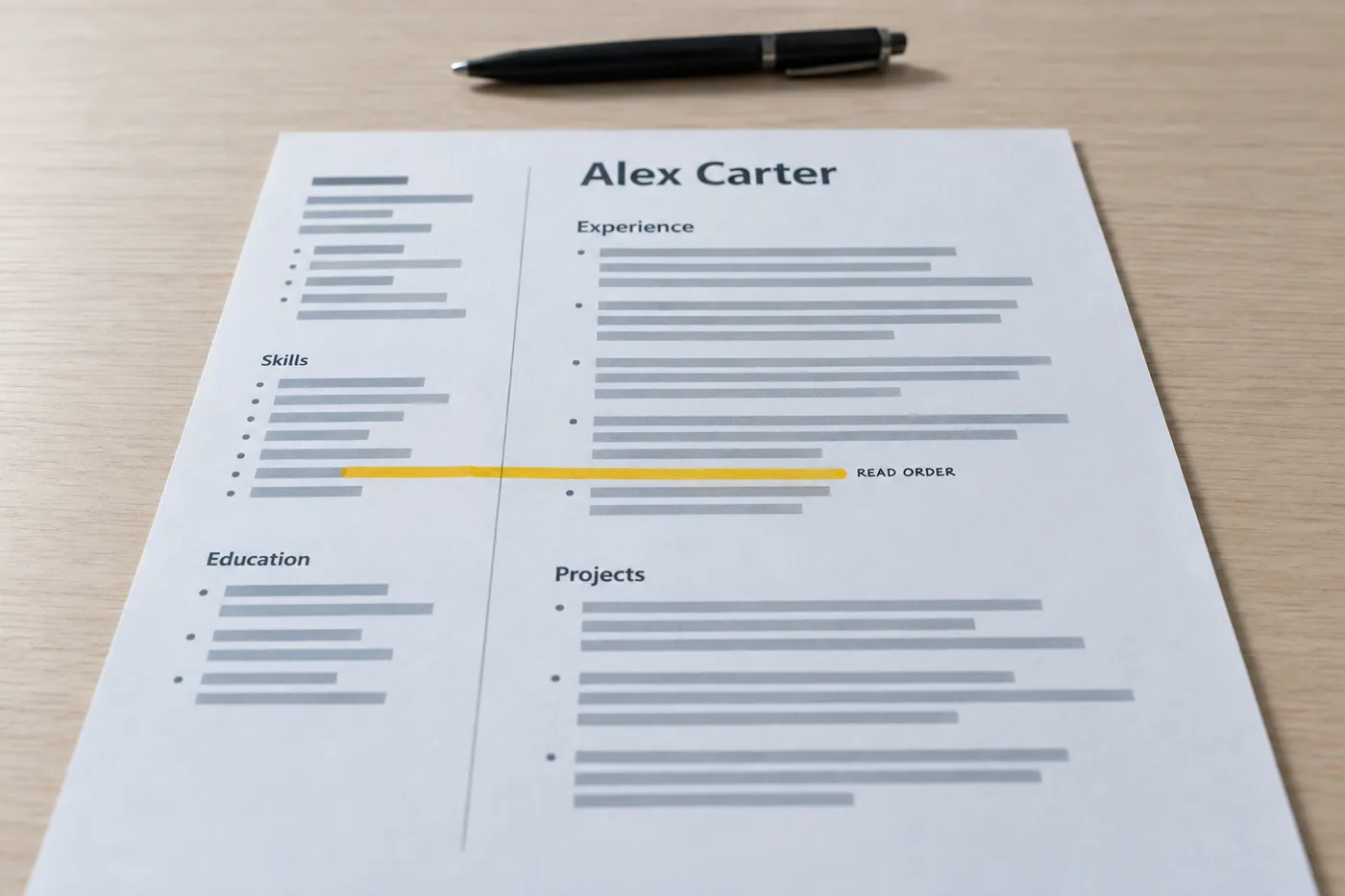
- Layout tables. Parsers walk table cells in their own sequence, which rarely matches the visual order. A job title can end up in the extracted text three lines away from its dates, and the record for that role splits or merges with the one below it.
- Text boxes and graphics. A text box floats above the document instead of sitting in its text flow, and many extractors read only the flow. A sidebar built as a text box can disappear from the parsed output entirely, and skill icons or rating bars extract as nothing at all.
- Contact details in the document header or footer. Some extraction pipelines strip header and footer regions before parsing begins. If your email address exists only in the document header, it can vanish from your candidate profile, and a profile with no email is a dead end.
None of these are exotic. Table-based layouts dominate free Word template galleries, and the sidebar-in-a-text-box look is the default style of half the designs on Canva. If your current resume uses any of the three, fix that before you touch anything else. The full walkthrough of the fixes is in our guide to making your resume ATS friendly without ugly design.
How I tested each template
The method was deliberately boring. I built each layout as a real document, exported it as a PDF, and ran it through an open-source resume parser comparable to the engines commercial systems embed. Then I read the extracted output against four questions.
- Did the full contact block come through, with the email and phone number detected as contact fields?
- Did every role extract as one record, with the title still attached to its employer and dates?
- Did each bullet land under the role it belongs to?
- Did the skills section come through as a usable list rather than fragments?
A template passed when the answer to all four was yes. "Clean" below means exactly that. Where a layout produced quirks in the extracted text, complete but oddly ordered, for instance, I say so, because those quirks are the honest difference between a two-column design and a single-column one.
The 12 templates and their parse results
Here is the summary, with the detail on each template below it.
| # | Template | Layout | Parse result |
|---|---|---|---|
| 1 | Classic chronological | Single column | Clean. Every role extracted as a complete record |
| 2 | Modern minimal | Single column | Clean. Divider lines ignored by the parser |
| 3 | Compact one-page | Single column | Clean. Density bothers human eyes, not parsers |
| 4 | Executive | Single column | Clean. Highlights block read as part of the summary |
| 5 | Fresh graduate | Single column, education first | Clean. Sections detected by heading, not position |
| 6 | Career changer | Single column, skills-forward | Clean. Core skills extracted ahead of experience |
| 7 | Technical | Single column, labeled skill lines | Clean. Every tool searchable in the output |
| 8 | Skills rail, right | Two real text columns | Complete but reordered. Columns concatenated |
| 9 | Contact rail, left | Two real text columns | Complete. Contact found by pattern matching |
| 10 | Accent header band | Single column, colored band | Clean. Live text sits on top of the decoration |
| 11 | Long-form | Single column, two-plus pages | Clean. Page break split no record |
| 12 | Academic CV | Single column, extra sections | Clean. Unmapped sections passed through as text |
1. The classic chronological
The layout recruiters have seen for thirty years. Name and contact at the top in plain body text, a summary, experience newest first, a skills section, and education at the end. Nothing decorative anywhere on the page. Parse result: flawless. Every role extracted as a complete record with the correct employer and dates attached, and every bullet landed under the right job. This is the template to pick when you want zero variables.
2. The modern minimal
Sans-serif type, generous whitespace, thin horizontal rules between sections. The rules are drawn on the page as decoration, not built as table borders. Parse result: clean. The parser ignored the divider lines entirely, and the extracted text was indistinguishable from template 1. Proof that "ATS friendly" does not have to mean "looks like it was typed in 1994".
3. The compact one-page
Tighter line spacing and smaller section gaps, built to fit ten-plus years of experience on a single page. Parse result: clean. Parsers do not care how dense a page is; humans do, so hold the line on a readable type size. Our guide to the best font size for a resume covers where the floor is.
4. The executive
Serif type, a larger name treatment, and a short "Leadership Highlights" block sitting under the summary. Parse result: clean. The highlights bullets attached to the summary region in the extracted text, which costs nothing, because the roles below still extracted as intact records. A sensible pick for director-level and above, where a scannable headline of wins earns its space.
5. The fresh graduate
Education first, then projects, then internships and part-time work. Parse result: clean. Parsers identify sections by their headings rather than their position on the page, so leading with education costs you nothing in extraction. If you're a student or a recent graduate whose degree is the strongest thing on the page, this order is the right argument and the parser is indifferent to it.
6. The career changer
A summary that names the target role, a "Core Skills" section directly beneath it, then experience. Parse result: clean. The skills extracted ahead of the work history, exactly as the layout intends, and every role behind them stayed whole. Section order is an argument you make to the human reader; the reasoning for each experience level is in our guide to resume section order.
7. The technical
Skills grouped on plain labeled lines, such as "Languages: Python, TypeScript, SQL", instead of a grid or a cloud of badges. Grids and rating dots are where technical resumes usually go wrong; plain lines are where they go right. Parse result: clean. Each line extracted intact, which means every tool on it is searchable in the recruiter's database. Engineers should also read the ATS-friendly software engineer resume guide for the stack-specific version of this advice.
8. The two-column with a right skills rail
The main column carries the summary and experience. A narrow right rail carries skills, certifications, languages and awards. Built as true text columns in the document flow, not as a table. Parse result: complete but reordered. Every word came through; the extracted text simply read the main column top to bottom, then the rail. Because each section lives whole inside one column, nothing split. This is one of the two caveat templates: safe with modern parsers, but see the two-column section below before using it for a high-stakes application.
9. The two-column with a left contact rail
Contact details and skills in a narrow left rail, everything else in the wide right column. Parse result: complete, with one note. The rail extracted after the main content, yet the email and phone were still detected correctly, because parsers hunt for contact patterns anywhere in the text rather than expecting them at the top. The design fails only when the rail is drawn as a text box, which removes it from the text layer entirely. Keep it as a real column and it holds.
10. The accent header band
A colored band behind the name and title, with the text sitting on top as live type. Parse result: clean, because the decoration is behind the text rather than replacing it. The same look fails the moment a designer flattens the band and the name into one image. The copy-paste test settles it in five seconds: open the exported PDF, and if you can select the text in the band, the parser can read it.
11. The long-form
Two-plus pages, detailed role descriptions, month-and-year dates on every entry. The right shape for senior candidates and for application processes that expect depth. Parse result: clean across the page break. No role split between pages in the extracted output, and the consistent date format meant every employment span was read correctly. Length is a human-attention question, not a parsing one; our data-backed answer is in should a resume be one page or two.
12. The academic CV
A single column with sections for publications and research, teaching, grants and service. Parse result: clean. Headings a parser has no field for, like "Publications", pass through as raw text attached to the profile rather than disappearing. Nothing is lost; it simply isn't filterable, which is fine, because academic hiring committees read the document itself.
Two-column layouts: when they're fine and when they're not
Templates 8 and 9 parsed. That surprises people who have absorbed the blanket rule that two columns kill an ATS run, so here is the distinction that actually matters.
A two-column layout is fine when the columns are real text flow in the document body, when every section is complete inside a single column, and when contact details are live text. The extracted output reads one column and then the other, which looks odd to a human but loses nothing a parser needs.
It stops being fine in three specific situations. The columns are built with a layout table, so cell-walking scrambles the order. A single role is split across columns, dates on the left and description on the right in the infographic style, so the parser can no longer pair them. Or the sidebar is a text box or graphic, so its contents fall out of the text layer altogether.
Modern parsers increasingly use machine learning and natural-language processing rather than rigid positional rules, which is why honest columns survive. But "usually fine" is not "always fine", and you cannot see which parsing engine sits behind a given job portal. My working rule is two columns for documents a human receives directly, single column the moment the resume enters an application portal. If you want to verify your own file, start with how to check if your resume is ATS friendly.
Headers, footers, text boxes and tables: what actually fails
Document headers and footers. Some extraction pipelines discard these regions before parsing begins. A name repeated in the footer costs you nothing, but an email address that exists only in the document header can vanish from your candidate profile. Keep contact details in the body of the page and reserve the header, if you use it at all, for a page number.
Text boxes. A text box floats above the document instead of living in its text flow, and many extractors read only the flow. This is the mechanism behind most "my sidebar disappeared" stories. The content looks identical on screen, which is exactly what makes the failure invisible until a recruiter searches for a skill you listed and doesn't find you.
Tables. Two failure modes here. A layout table scrambles reading order because the parser walks cells in its own sequence. A data table, say a two-column skills grid, often survives but flattens unpredictably, pairing cells that were never meant to read together. Plain labeled lines do the same visual job with zero extraction risk.
Images, icons and rating bars. Anything rasterized extracts as nothing. Five filled dots next to "Excel" communicates a proficiency level to a human and communicates nothing whatsoever to a parser. Write the skill as text and let a bullet with a result prove the level.
A clean parse is half the job: covering the ATS keywords
A template that parses cleanly gets you into the database correctly. It does not get you found. Recruiters search and filter the parsed fields, so passing the ATS also means carrying the terms the posting asks for, which is where ATS keywords for your resume come in.
Matching has moved beyond exact string comparison; parsing is increasingly supplemented by semantic matching that understands context, not just literal terms. Even so, mirror the posting's exact phrasing for hard skills and certifications. A semantic layer may work out that "people management" resembles "team leadership", but you should not bet an application on it. Our list of 800+ ATS keywords by job title is the fastest way to see what your target role typically filters on.
Checking coverage by hand against every posting is the slow part of a job search. Roleframe does it in one pass: paste the posting and it produces a fit report with an ATS score, the exact keywords the job filters on, and which of them your resume is missing, then you make the edits yourself. The workflow is covered in how to check your resume against a job description.
Download and edit any of these free
Every layout above can be built in Roleframe's free resume editor. It's the full document-grade editor rather than a demo: every template, drag-and-drop section reordering, live preview, and a free PDF download with no watermark, no account, no trial, no card. What you see in the editor is exactly what the exported PDF is, which matters here, because export fidelity is where many builders quietly reintroduce the parsing problems their templates were supposed to avoid.
Already have a resume? Import the PDF and it comes back as editable blocks, with roles and dates in the right places, so you're editing rather than retyping. And when you save, save as PDF. Modern parsers handle PDFs well; extraction problems come from complex design and dead text layers, not from the format itself. Send a .docx only if an employer explicitly asks for one, and default to PDF everywhere else.
Frequently asked questions
- Is 80% a good ATS score?
An ATS score from a resume checker measures how well your document matches one specific posting, usually a blend of keyword coverage and formatting checks. There is no universal pass mark, because the systems employers run mostly rank and filter candidates rather than auto-rejecting below a threshold. Treat 80% as strong coverage, then look at what the missing fifth contains. If it includes a required hard skill you genuinely have, add it in the posting's exact words; if closing the gap would mean stuffing in terms you can't back up, stop, because a resume you can't defend scores well and then fails in the interview.
- How do I format my resume for ATS?
Use a single column with conventional headings like "Work Experience", "Skills" and "Education". Put your contact details in the body text, list roles in reverse-chronological order with one consistent date format, and keep every word as real selectable text rather than inside tables, text boxes or graphics. The full walkthrough is in our guide to making your resume ATS friendly.
- Do ATS systems reject PDF resumes?
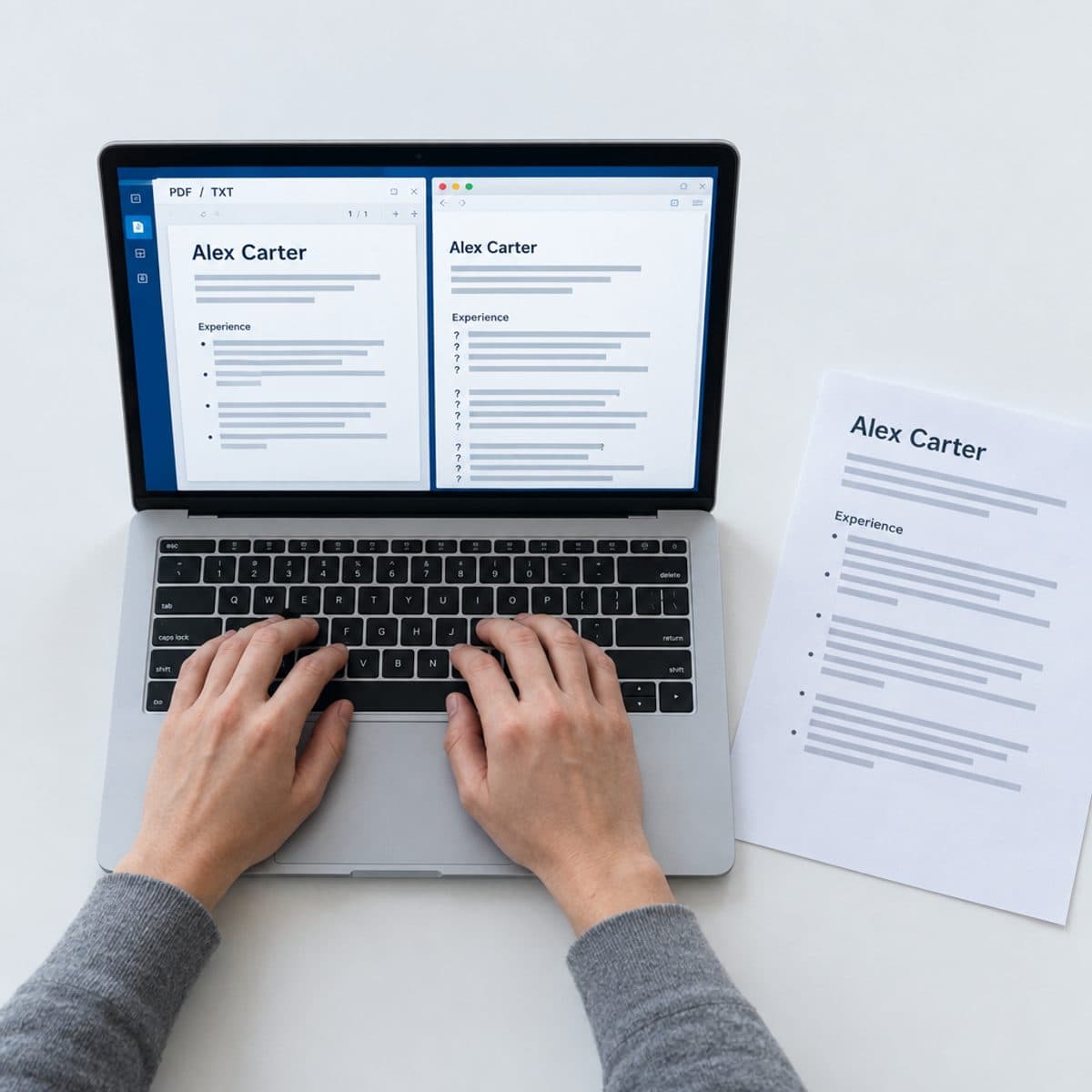
No. Modern parsers handle PDFs well; the extraction problems come from complex design, graphics, or a nonstandard text layer inside the file, not from the format. The quick check is copy-paste: open your PDF, select the text, and paste it into a blank document. If everything appears in a sensible order, a parser will read it. Submit PDF by default and switch formats only when a posting explicitly asks for something else.
- Are Word and Google Docs resume templates ATS friendly?
Some are, but this is where most parsing failures start, because many free Word templates achieve their layout with tables and text boxes. Before using one, click into the sidebar and the header to see how they're built, and run the copy-paste test on the exported file. Wherever the template came from, export and submit the finished resume as a PDF.
- What is the 7-second rule for resumes?
It's the widely repeated claim that a recruiter's first pass over a resume lasts only a few seconds. The precise figure varies by study and is more marketing than science, but the underlying point holds: the first human pass is a skim, so job titles, employers and front-loaded bullet points need to carry the story on their own. Note that this is a separate hurdle from parsing. The ATS decides whether you're found; the skim decides whether you're read.
- How can I check if my resume is ATS friendly?
Start with the copy-paste test to confirm the text layer is intact and ordered. Then run the file through a scanner that shows you the parsed output against a real job description, so you can see both extraction and keyword coverage at once. We compared the options in the best ATS resume scanners, including what each one actually measures.


Ready when you are
Send the tailored resume, not the generic one.
Paste a job posting and Roleframe scores your resume against it, then helps you close the gaps one approved edit at a time, so you apply while the role is still fresh.