The Best Free Cover Letter Builder Without Sign-Up (No Email, No Catch)
Which free cover letter builders work without sign up? We compare the tools that let you write, format, and download a real PDF with no email and no card.

On this page
Most "free" cover letter builders are free right up until the moment you click Download. Then comes the email wall, the watermark, or the seven-day trial that needs a card number. You've already typed your letter in, which is exactly the point: the tool holds your finished document hostage because it knows you'd rather pay than start over.
This guide covers the tools that actually let you build and download a cover letter with no account, which ones quietly gate the export, and how to tell the difference before you invest twenty minutes of typing. It also explains the business model question behind all of this, because a tool that gives away real functionality for free has to make money somewhere, and knowing where tells you whether the free tier will still be free next month.
The "free" cover letter trap: where the catch usually hides
The trap almost never appears at the start. Builders let you pick a template, fill in every field, and preview a polished letter without friction. The gate shows up at the last step, after you've done all the work. That sequencing is deliberate. Your sunk cost is their conversion funnel.
The gates come in a few standard flavors:
- The sign-up wall. "Create a free account to download." Your email then feeds a drip campaign, and often the "free account" turns out to allow only a limited-time or watermarked export anyway.
- The watermark. The download works, but the PDF carries the builder's logo across the page. Sending a watermarked cover letter reads as "I used the free tier," which is not the first impression you want.
- The trial with a card. The download is "free" during a trial that requires payment details up front. Forget to cancel and you've paid for a subscription to write one letter.
- The TXT-only export. Free users get plain text; the formatted PDF costs money. You end up rebuilding the letter in another editor anyway.
- The regeneration cap. AI tools that give you one or two free generations, then charge to fix the letter they just wrote badly.
None of these tactics are illegal, but they answer the searcher's real question dishonestly. When someone types "is there a free cover letter builder that doesn't charge," they mean free through the download, not free until it.
What "truly free" has to mean: five criteria
Before comparing tools, pin down the standard. A cover letter builder earns the word "free" only if it clears all five of these, end to end:
- No account or email required at any step, including download.
- A real file export (PDF at minimum), not copy-paste-only or plain text.
- No watermark, banner, or branding on the exported document.
- No card number collected anywhere in the flow.
- Real editing control: you can change the wording, layout, and fonts, not just fill in a locked template.
The fifth criterion gets ignored in most roundups, and it matters more than it looks. A cover letter is a persuasion document. If the builder locks you into rigid form fields, you can't tighten a paragraph, move your strongest point up, or match the letter's structure to the job. You get a letter shaped like everyone else's, which defeats the purpose of writing one.
The quickest field test: open the tool in a private browsing window, type two sentences, and try to download immediately. If a modal asks for your email, you have your answer in under a minute instead of after twenty.
Reviewing the market: who asks for an email before you can download
The no-sign-up segment has grown fast, mostly because newer tools noticed how much job seekers resent the paywall-at-download pattern and made "no email, no card" their whole pitch. Here is how the tools currently ranking for this search stack up, based on what each one publicly offers.
| Tool | Sign-up to download? | What you get free | The catch to know about |
|---|---|---|---|
| MAJC | No | AI-generated letters from a pasted job URL, no login, unlimited | Generator-first, so you get less control over the final document's layout |
| LoopCV | No | AI letter with 4 professional styles, no email required | Output is built for copy-paste into applications rather than a designed document |
| CareerKit | No | A basic builder with instant PDF download, no card | Limited formatting depth compared with a full editor |
| Freesumes | No registration | Cover letter generator with PDF download | Template-driven, so structural changes are constrained |
| Enhancv | No login for the AI generator | AI letter generated from an uploaded resume | The generator is a funnel into the paid builder for editing and export polish |
| CVCompose | No account | 16 ATS-friendly templates, AI drafting from your CV plus the job description | Newer tool, so template variety is the main draw over editing control |
| FreeCV | No sign-up, no card | Free PDF download | Basic feature set; fine for a quick letter, thin for anything custom |
| MojCV | No registration for the quick builder | Manual plus AI drafting, unlimited free PDFs | The quick builder is the free path; fuller features sit behind an account |
| Canva | Account required | Drag-and-drop design templates for cover letters | It's a design tool, not a writing tool, and it needs a sign-in |
Two patterns worth noticing. First, the genuinely no-sign-up tools are almost all AI generators: paste a job description, get a letter, copy it out. That solves the blank-page problem but not the document problem. You still need somewhere to format, refine, and export the thing, and generic AI output has its own credibility issues, which I've covered in detail in why most AI cover letter generators fail.
Second, the tools with the best editors tend to have the worst free tiers, and the tools with honest free tiers tend to have the weakest editors. The gap in this market is a real editor that's free through the download. That's the gap Roleframe built for.
Roleframe: no sign-up, no catch, and why the math actually works
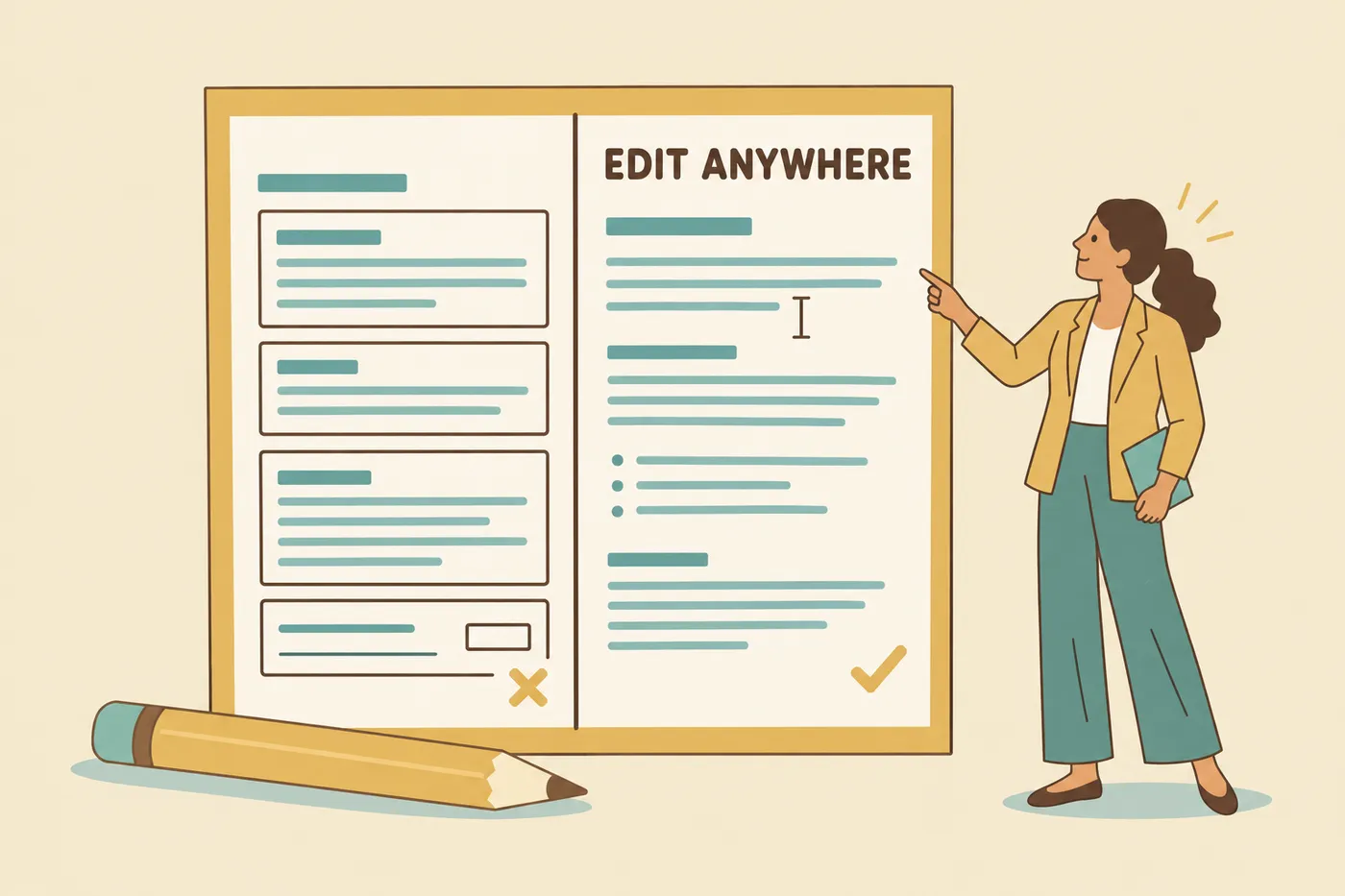
Roleframe's free editor is the same document-grade editor the full platform uses, open to anyone with no account. Every template, full drag-and-drop control over sections and layout, real typography settings, a live preview, and a free PDF download with no watermark, no trial, and no card. Your work autosaves to a private draft in your browser, so closing the tab doesn't lose the letter. A free account is there if you want the draft kept permanently and synced to your other devices, and it opens up full AI runs to try, still without a card.
The obvious question is why this is free when competitors gate the same functionality. The answer is the pricing model, and it's worth understanding because it predicts which "free" offers survive.
Most builders sell subscriptions, so every free user is a cost until they convert. That's why the download gate exists: it's the conversion moment, placed where your sunk cost is highest. Roleframe sells a subscription too, but what it buys is the AI rather than the editor: resume analysis, bullet and section rewrites, the inline assistant that helps you sharpen a line at a time, and cover letters, all unlimited, with no meter running and nothing to top up. The editor, the templates, and the PDF export sit outside that entirely and stay free.
Because the paid product is the AI rather than the editor, the editor doesn't need a gate. There's no incentive to watermark your PDF or hold your download for an email, because the free editor isn't the thing being sold. Nothing on the paid side is metered either, so you're never rationing a rewrite halfway through a paragraph or watching a balance while you edit, and the pricing page spells out what the subscription covers. That transparency is the whole point: a free tier funded by an honest paid tier stays free, while a free tier that exists to trap you at the download step is a paywall with extra steps. The same logic applies to resume tools, and I've written a fuller answer to whether a truly free resume builder exists if you're testing tools on that side too.
Document-grade editing vs. rigid form builders
Most free cover letter tools are form builders. You fill in fields (name, company, three paragraphs), the tool pours them into a fixed template, and out comes a letter. That works until the moment it doesn't, and for cover letters that moment arrives fast.
Say you're a career changer and your strongest argument is a transferable project, not your job title. In a form builder, the template decides what comes first. In a real editor, you restructure the letter so that project leads. Or say the posting emphasizes one specific requirement. You want that answered in your opening paragraph, at a length you control, in a layout that visually matches the resume you're sending alongside it. Form builders can't do any of that; they can only fill their own blanks.
A document-grade editor gives you:
- Structural control. Add, remove, and reorder paragraphs and sections instead of accepting a fixed skeleton.
- Typography that matches your resume. A cover letter in a different font and margin scheme than the resume it accompanies looks assembled from two tools, because it was.
- Length control. Recruiters skim. A tight three-paragraph letter beats a padded five-paragraph one, and you need the freedom to cut.
- Faithful export. What you see on screen is exactly what the PDF renders, so nothing shifts, wraps, or breaks between preview and file.
If your situation needs a non-standard structure, an editor is not optional. Explaining an employment gap in a cover letter or making the case as a career changer with no direct experience requires shaping the argument yourself, and a locked template will fight you the whole way.

How to make sure your cover letter passes the ATS
An applicant tracking system (ATS) is the software that receives and parses your application before a human sees it. Cover letters get less ATS scrutiny than resumes, but at mid-size and large companies the letter is often parsed and stored in the same candidate record, and some recruiters keyword-search across it. Modern free builders now advertise ATS-friendly output for exactly this reason, and it's a fair criterion to hold every tool to.
The rules for an ATS-safe cover letter are short:
- Single column, standard fonts, no text boxes or graphics. Parsers read top to bottom, left to right, and decorative layouts scramble that order.
- Mirror the posting's language for the requirements you actually meet. If the job says "stakeholder management" and you've done it, use that phrase rather than a synonym the filter won't match.
- Put your name and contact details in the document body, not in a header image or graphic element.
- Keep it to one page. Nothing in the second page of a cover letter has ever gotten anyone hired.
- Never stuff keywords. Recruiters read the letter even when software scans it first, and a keyword-stuffed letter fails the human check instantly.
The keyword part is where most people guess, and guessing is unnecessary. The terms worth mirroring are sitting in the job description; the skill is extracting the right ones and using them where you have real evidence. The approach is the same one that works for resumes, covered in how to match ATS resume keywords instead of guessing, and it's the analysis Roleframe's fit report runs for you when it reads a posting: pull the exact terms recruiter filters scan for, check which ones your experience already covers, and flag the gaps, so you write the letter yourself against a list instead of a guess.
Exporting your document: PDF vs. DOCX
Send PDF. A PDF renders identically on every machine, so the letter the recruiter opens is pixel-for-pixel the letter you approved. A DOCX file reflows depending on the reader's fonts, Word version, and settings, which means your carefully set spacing can arrive broken and you'll never know. Modern ATS platforms parse well-structured PDFs cleanly; the old advice to send Word files dates from parsing technology that no longer represents the market.
The only time DOCX enters the picture is when an employer explicitly requests it, which is rare and getting rarer. Even then, check whether the portal accepts PDF anyway; most do. Watch for builders that use the format split as a monetization lever in reverse: some free tools export only plain text or DOCX and charge for the formatted PDF, which is the file you actually need. In Roleframe's free editor the PDF is the free export, unwatermarked, with DOCX available on the paid side for the rare employer who demands it.
One practical naming note: call the file something like Firstname-Lastname-Cover-Letter.pdf. Recruiters download dozens of files a day, and "document(3).pdf" makes you the applicant they have to hunt for.
Try the editor live, no account required
You can verify every claim in this article in about two minutes, which is the test I'd apply to any tool on the comparison table above. Open Roleframe's free editor, write a letter or start from a template, adjust the layout until it matches your resume, and download the PDF. No email field will appear. No watermark will be on the file. If a tool passes that test, it's genuinely free; if it doesn't, you found out before sinking twenty minutes into it.
Job seekers on Reddit have been running this exact test on resume builders for years, and their verdicts are blunt about which tools gate the download, a pattern I broke down in what Reddit actually recommends for free resume builders. The cover letter market deserves the same scrutiny. Apply the two-minute test, keep the tools that pass, and close the tabs on the ones that don't.
Frequently asked questions
Is there a free cover letter builder that doesn't charge at any step?
Yes, several. Roleframe's free editor lets you write, format, and download an unwatermarked PDF with no account and no card. Among generator-style tools, MAJC, LoopCV, Freesumes, and FreeCV all produce letters without registration. The test that separates real free from fake free: open the tool in a private window and try to download immediately. If an email modal appears, the free tier ends at the download button.
What is the best website to create a free cover letter?
It depends on whether you want a draft or a document. If you want AI to write a first draft from a job posting, tools like MAJC and LoopCV do that without a login. If you want a finished, formatted document you'd actually attach to an application, you need a real editor with a free PDF export, which is what Roleframe's free editor provides with no sign-up. The strongest workflow uses both steps: draft the argument, then shape it in an editor so the letter matches your resume's formatting.
Are cover letters outdated in 2026?
No, but their role has changed. Many recruiters skip them for high-volume roles, so a generic letter is wasted effort. Where they still decide outcomes is any application that needs context a resume can't carry: a career change, an employment gap, relocation, or a smaller company where the hiring manager reads everything. Write a short, specific letter for those situations and skip the boilerplate everywhere else. A tailored half-page beats a templated full page every time.
What resume builder is 100% free?
Very few clear the full bar of no account, no watermark, no card, and a real PDF export. Roleframe's free resume editor does: it's the same document-grade editor as the paid platform, with every template and a free unwatermarked PDF, no sign-up required. Most well-known builders gate the download behind registration or a trial, a pattern covered in detail in whether a truly free resume builder exists.
Do free AI cover letter generators produce good letters?
They produce acceptable first drafts and weak final drafts. The common failure is generic output: the letter could accompany any application to any company, because the tool never connected the job's requirements to your specific experience. Treat AI output as raw material. Rewrite the opening in your own words, replace vague claims with one concrete result, and cut anything you couldn't defend in an interview. Recruiters have read thousands of unedited AI letters by now and spot them in the first two sentences.
Should I send my cover letter as a PDF or a Word document?
PDF, in every case except an explicit employer request for Word. PDF locks your formatting so the recruiter sees exactly what you approved, and modern applicant tracking systems parse well-structured PDFs without trouble. A DOCX file reflows on the reader's machine, so your layout can break in ways you'll never see. Name the file with your full name so it's findable in a recruiter's download folder.

Larbi is a self-taught software engineer and the founder of Roleframe. He built it after getting tired of rewriting his resume for every single application. Having built ATS software himself, he knew exactly what those filters do to resumes on the other side. He writes about what actually gets you past ATS and in front of recruiters, based on thousands of real job descriptions, not recycled advice.
Ready when you are
Send the tailored resume, not the generic one.
Paste a job posting and Roleframe tailors your resume for it in about a minute, so you apply while the role is still fresh.