

Can AI Write Your Resume?
AI can help you write a stronger resume, but it can also make your resume sound generic. The difference is how you use it.
Today, many job seekers use AI to draft bullets, tailor to job descriptions, and clean up wording. Recruiters often notice when text feels templated or vague, so the goal is clarity and proof, not fancy wording.
This guide shows what AI is good at, what it is bad at, and a safe workflow you can follow. You will also get prompt templates, editing checklists, and examples that stay ATS-friendly.
Use AI like an editor: it can improve clarity and structure. You still need to provide the facts, details, and outcomes.
Key Takeaways
- Use AI for clarity, structure, and tailoring. Do not use it to invent experience.
- The best resumes sound specific. Proof beats polished language.
- Mirror job keywords when accurate, then prove them in one bullet.
- Avoid copy-pasting generic AI phrases. Rewrite in your own voice.
- Watch privacy. Do not paste sensitive personal data into random tools.
- Always run quick tests: plain-text paste, ATS-safe formatting, and portal preview when available.
Can AI Create a Resume?
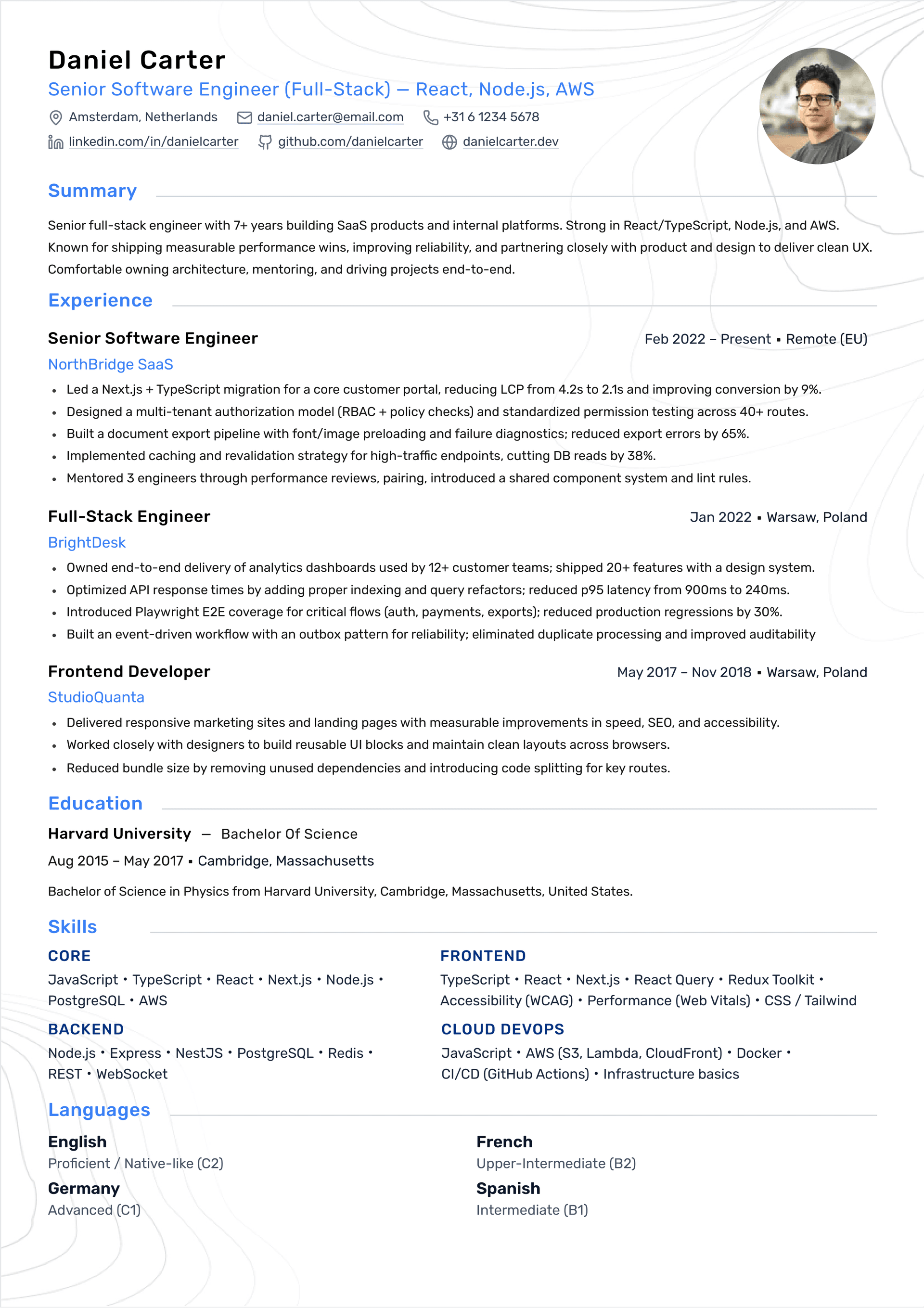
Yes, modern AI resume builders are designed to streamline the writing process. With a few prompts, AI can suggest content, role-specific bullet points, and even optimize formatting for Applicant Tracking Systems (ATS).
However, the key is using AI as a tool. Not a replacement. For your experience and strategic insight.
Your resume is your story. AI can help structure it, but only you can tell it right.
What Are AI Resume Builders?
AI resume builders use natural language processing (NLP) and machine learning to help you write and improve your resume. They can suggest content, adjust formatting, recommend keywords, and tailor output for specific job descriptions.
Some platforms also extract relevant keywords from job postings and format your resume for ATS compatibility.
A Practical Rule
If AI writes something that you would never say in a real conversation, it will read as generic.
Use AI to tighten and organize your writing, then rewrite the final wording in your own voice.
Smell test: if you cannot explain a bullet in 30 seconds, rewrite it.
Benefits of Using AI for Resume Writing
These benefits are especially valuable for job seekers who need to apply to multiple roles or those unsure where to begin with structure and layout.
- AI saves time by generating content quickly.
- AI can improve keyword relevance for ATS.
- Templates ensure clean structure and professional formatting.
- AI tools are often more affordable than professional writers.
Limitations and Concerns of AI Resume Writing
AI can be a powerful assistant. But it’s not a substitute for your judgment, voice, or career strategy.
- AI may produce generic or vague content without personalization.
- Loss of authenticity can make resumes feel flat or impersonal.
- Certain AI language patterns can be recognizable to recruiters.
- AI tools may require sensitive personal data. So privacy matters.
Recruiter and Hiring Manager Perspectives
Recruiters review hundreds of applications and often say they can spot AI-generated content, especially when it uses generic language, repetitive structure, or lacks personalized detail.
Recruiters look for specific indicators that a candidate understands the role, such as embedded metrics, detailed outcomes, tools used, and role-specific vocabulary.
While AI tools can help optimize for ATS, the human review still matters most.
If your resume sounds like everyone else’s, it will not stand out. Even if AI helped write it.
Best Practices When Using AI to Write Your Resume
Used well, AI can cut your writing time in half, but your own knowledge and experience give the resume its real value.
- Use AI as a first draft, not the final resume.
- Add measurable results and real metrics.
- Provide clear, detailed prompts to improve AI output.
- Avoid copy-pasting generic AI phrasing without editing.
Common ATS Myths and AI Resume ‘Hacks’
Many job seekers turn to AI tools to try to ‘beat’ ATS systems. This has led to myths and ‘hacks’ that don’t actually help. And can even hurt your chances.
- Myth: Hiding keywords in white text helps you beat ATS.
Reality: Most ATS ignore or flag this tactic. - Myth: Always submit in Word format.
Reality: Submit in the format requested by the employer. - Myth: Stuffing keywords improves results.
Reality: Keyword stuffing makes resumes unreadable and suspicious.
What Actually Works With AI and ATS
- Use standard, clear section headers for ATS compatibility.
- Choose clean layouts without complex visuals.
- Mirror the job description honestly with natural phrasing.
- Focus on readable text rather than formatting tricks.
When AI Helps (High-Value Use Cases)
AI is useful when the task is editing, organizing, or tailoring. It is less useful when the task requires truth, context, and judgment.
Use AI for work that benefits from pattern recognition, then keep the facts and decisions in your control.
- Turning messy notes into clean bullets
- Extracting keywords from a job description
- Tightening long sentences without changing meaning
- Finding missing context in a bullet (who, what, why, outcome)
- Checking consistency: tense, dates, headings, capitalization
Best use: draft the facts yourself, then ask AI to make it clearer without adding new claims.
When AI Hurts (Common Failure Modes)
AI output can lower your chances when it becomes vague, inflated, or too polished. Recruiters see the same phrases across many resumes.
The risks are higher when you paste your whole resume and accept the rewrite without editing.
- Generic verbs: leveraged, utilized, spearheaded, collaborated without details
- Inflated claims or fake metrics
- Buzzword-heavy summaries that say nothing concrete
- Copy-paste sameness across multiple bullets
- Wrong assumptions about your role or tools
If AI makes your resume sound impressive but less specific, it usually got worse.
A Safe Workflow: Use AI Without Losing Your Voice
This workflow keeps your resume accurate and makes AI useful instead of risky.
Treat AI as a writing assistant. You provide the facts and outcomes, then you accept only edits you can defend.
- Write raw bullets from memory (what you did, tools used, outcome)
- Ask AI to rewrite for clarity without changing meaning
- Add missing proof: scope, constraints, and outcomes
- Mirror job keywords that match your experience
- Run final checks: formatting, reading order, and portal preview
The fastest win is rewriting your top 3 bullets to include action, scope, and outcome.
Prompt Templates That Produce Better Resume Bullets
Most people get generic output because their prompts are generic. Good prompts include role context, your actual work, tools, and the outcome.
Use the templates below and replace the bracketed parts with your details.
- Bullet rewrite: 'Rewrite this bullet to be clearer and more specific without changing meaning. Keep it 1 line. Bullet: [PASTE] Context: [TEAM/PRODUCT] Tools: [TOOLS] Outcome: [RESULT]'
- Make it measurable: 'Suggest 3 ways to quantify impact for this bullet. Do not invent numbers. Bullet: [PASTE]'
- Keyword alignment: 'Given this job description, list 10 keywords and suggest where to place them (Skills vs bullets). Only include keywords I can truthfully claim. Job: [PASTE] My resume text: [PASTE]'
- Proof check: 'Identify vague phrases and ask 5 questions that would add proof. Bullet list: [PASTE]'
- Voice check: 'Rewrite these bullets in a natural human tone. Avoid buzzwords. Keep facts unchanged. Bullets: [PASTE]'
Tell AI what not to do: no new claims, no invented metrics, no buzzwords.
Keyword Strategy With AI (Without Stuffing)
ATS systems and recruiters often rely on keyword search and filters. LinkedIn Recruiter documentation describes using quoted phrases and Boolean modifiers in keyword fields.
AI can help you extract keywords quickly, but you still need to place them naturally and prove them with evidence.
- Copy 10 to 15 keywords from the job description (titles, tools, responsibilities)
- Add the real ones to Skills using the exact wording
- Prove 2 to 4 of the most important keywords in Experience or Projects bullets
- Avoid repeating the same keyword in every bullet
- Use the exact phrase when the posting names a tool (example: React Testing Library)
Keywords help you get found. Proof bullets help you get hired.
Keep It ATS-Friendly: Formatting Rules That Usually Work
AI cannot save a resume that fails parsing. Many ATS issues come from complex formatting such as tables, columns, headers, footers, and graphics.
Indeed recommends avoiding these elements because critical information can be scattered or lost when parsed.
- Use standard headings: Summary, Experience, Projects, Skills, Education
- Avoid tables, text boxes, icons as labels, and heavy sidebars
- Keep contact info in the document body as plain text
- Use a consistent date format (Apr 2024 or 2024-04)
- Run a plain-text paste test to confirm reading order
Privacy and Data Safety When Using AI Tools
Resume data includes personal information. Before you paste your resume into an AI tool, think about what you are sharing and where it goes.
A safe approach is to redact sensitive data and to avoid uploading confidential company information.
- Remove personal identifiers you do not need: full address, national ID numbers, full phone number if not required
- Avoid pasting confidential company data (customer names, private metrics, internal code names)
- Prefer summaries over raw documents when possible
- If you use a third-party tool, review its privacy and data retention settings
You can get great AI help using a redacted resume and a short bullet list of facts.
How to Verify AI Output (Avoid Hallucinations)
AI can introduce wrong details. The risk is highest when you ask it to fill gaps or rewrite without context.
Before you paste AI output into your resume, verify every claim and make sure you can defend it in an interview.
- Check every tool and method mentioned. Remove anything you did not use
- Check numbers and timelines. Do not add metrics you cannot explain
- Make sure each bullet has a real outcome or concrete result
- Replace vague verbs with specific actions
- Read it out loud. If it sounds unnatural, rewrite it
If you cannot explain a bullet in 30 seconds, it is not resume-ready.
Editing Checklist: Make AI Text Sound Human
Recruiters do not reject resumes because AI was involved. They reject resumes that feel generic.
Use this checklist to keep your resume specific and believable.
- Replace vague phrases with specifics (what feature, what system, what outcome)
- Add one concrete detail per bullet (scope, users, scale, constraint)
- Prefer simple language over corporate buzzwords
- Keep bullets short (1 to 2 lines) and start with action verbs
- Ensure the first 3 bullets in each role are the strongest
- Remove repeated sentence patterns across bullets
FAQ: AI Resume Writing
Quick answers to common questions about using AI for resumes.
- Should I tell recruiters I used AI? Usually you do not need to. What matters is accuracy and clarity.
- Can recruiters detect AI writing? Many recruiters notice generic phrasing. The safest approach is rewriting in your own voice.
- Will AI help ATS? It can help with keywords and clarity, but formatting and proof bullets matter more.
- Should I paste my whole resume into AI? It often produces generic rewrites. Better: paste one section or a few bullets.
- What is the best use of AI? Editing and tailoring, not inventing content.
Use AI to make your resume clearer. Keep the details real and specific.
Can AI Write a Cover Letter?
AI isn’t just useful for resumes. It can also help draft cover letters. AI can organize your ideas, help with structure, and tailor opening lines based on job descriptions.
However, like resumes, cover letters should be personalized after generation to reflect your voice and intent.
Tips for AI-Assisted Cover Letters
- Use AI to overcome writer’s block and get a first draft.
- Personalize AI output with specific company details.
- Focus on why you’re genuinely excited about the job.
- Avoid overly generic phrases.
Conclusion: AI as a Partner, Not a Replacement
AI can absolutely support your resume writing process. Helping save time and improve structure. But the best resumes result from a collaboration between smart tools and your own insights.
Let AI handle heavy lifting. But your voice, achievements, and personal context are what truly make a resume stand out.
AI is a tool that can support you. Use it for clarity and tailoring, then keep the facts and voice yours.