
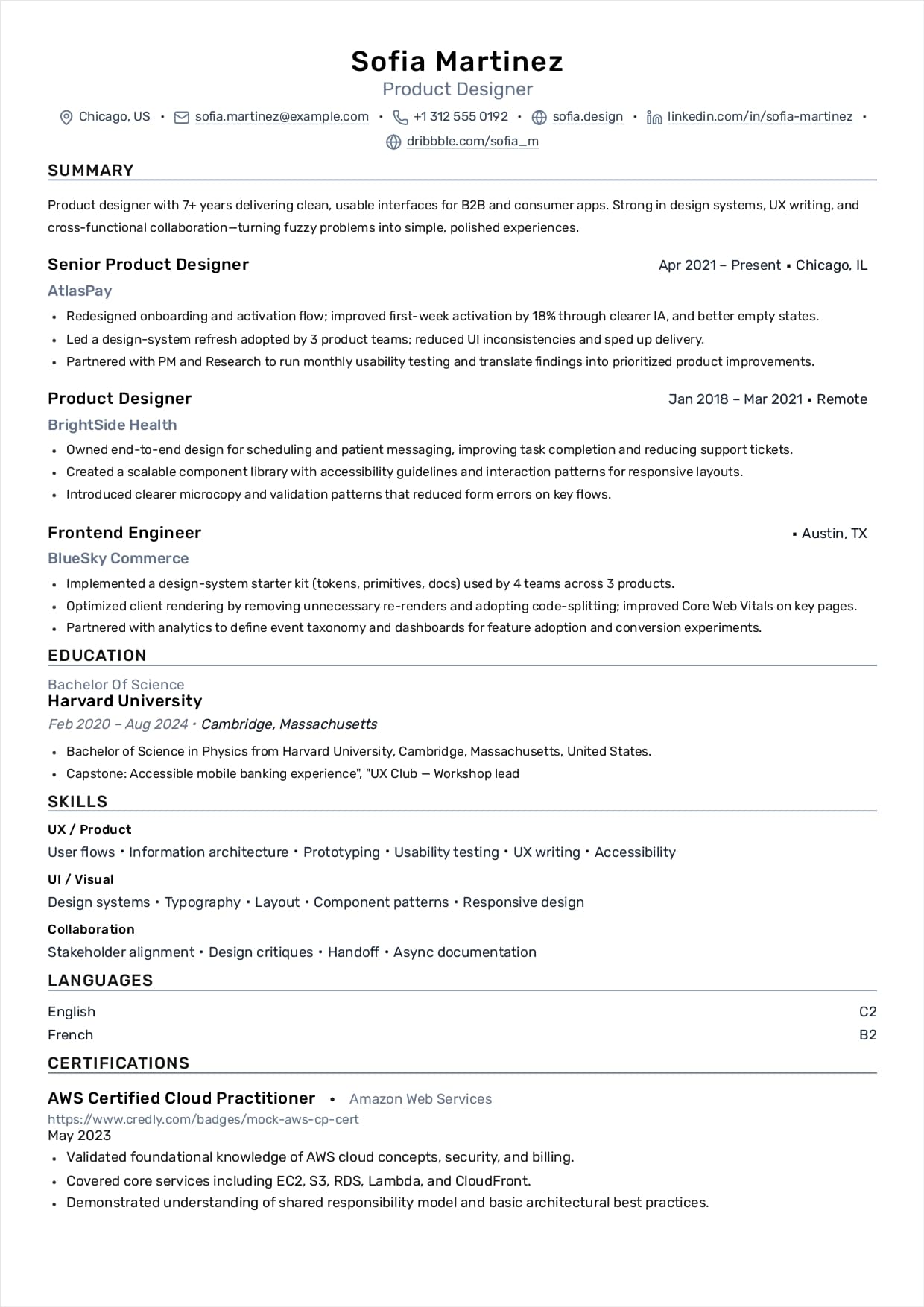

What this guide optimizes for
A modern resume has two readers: (1) software that parses and indexes content, and (2) a human who scans for fit in seconds. This guide gives you a repeatable 10-step workflow that keeps both readers happy.
The foundation is a conventional, scan-safe structure (clear headings, reverse-chronological experience, concise telegraphic bullet style, measurable outcomes) plus a keyword system that mirrors how recruiters search in ATS databases.
- Outcome-first bullets (proof > claims)
- ATS-safe structure (predictable headings, simple layout)
- Keyword coverage without stuffing
- High-signal tailoring via variants (small edits with big relevance gains)
- Scannable resume rules (when your resume will be parsed/scanned)
- Reference strategy and cover-letter/email execution
- A case study showing how metrics change perceived seniority
If your resume reads like a task list, the market reads you as replaceable. If it reads like proof, you get interviews.
Resume overview: the standard sections (and what to include / exclude)
Most resume failures are structural. If a recruiter can’t locate your core qualifications quickly—or an ATS can’t reliably parse your content—you lose before your accomplishments matter.
A standard structure is not boring; it’s a compatibility layer. Use it unless your industry has a strict exception.
- Header: name, city/state, phone, email; links optional (portfolio, LinkedIn)
- Objective (optional but strongly recommended): target role + strengths + focus area
- Education (required): degree(s), institution, date earned/expected; include city/state if applying out of state
- Educational highlights (optional): relevant courses, projects, honors, GPA if above 3.0
- Experience (required): paid/unpaid, internships, co-ops, volunteer, fieldwork; title, employer, location, dates; emphasize responsibilities, accomplishments, skills
- Other optional sections: skills, projects, certifications, affiliations
Skip institutions where no degree was earned, GPAs under 3.0, and years enrolled—these usually reduce signal and waste space.
Step 1: Start with the standard resume skeleton
Before you write bullets, lock the structure. A clean skeleton prevents most ATS failures and forces clarity.
Use the standard order unless your field strongly prefers something else: Header → Summary/Objective → Experience → Education → Skills → Optional sections (projects, certifications, affiliations).
- Header: name, location, phone, email, links
- Summary/Objective: role target + 1–3 qualifying signals
- Experience: reverse-chronological; concise proof bullets
- Education: degrees + dates; expand only if it improves fit
- Skills: grouped nouns/keywords the ATS actually indexes
Step 2: Pick one format that recruiters expect
Default to reverse-chronological. It’s the most legible for humans and the most predictable for parsers.
Use a hybrid format only when you must foreground a tight skill cluster (mid-career pivots). Avoid functional formats unless a recruiter explicitly validates it for your target field.
- Reverse-chronological: best default; easiest to scan
- Hybrid: acceptable for targeted pivots; keep chronology visible
- Functional: higher ATS risk and often lowers trust because dates/companies become less prominent
If your resume’s structure surprises the reader, you’ve already lost time you won’t get back.
Objective statements: purpose, traps, and a writing formula
An objective (or short summary) is optional - but highly recommended - because it gives focus and helps both ATS and humans categorize you fast.
The mistake is writing an objective that describes what you want, not what you offer. Your objective is a positioning statement, not a wish.
- Purpose: name the role/field, your strongest skills, and your focus area
- Trap: vague claims (e.g., 'challenging position', 'opportunity to grow')
- Trap: listing soft traits without proof (hardworking, motivated, etc.)
- Formula: Target role + domain + 2–3 differentiators + 1 proof signal (scale/metric/complexity)
If you include an objective, it must be specific enough that it narrows your resume, not broadens it.
Step 3: Write an objective/summary like a spec
Your opening is not a biography. It’s a positioning statement that answers: what role, what strengths, what proof.
A strong formula: Target role + domain + 2–3 differentiators + 1 proof signal (scale, metric, complexity, reliability).
- Be specific about the role (not 'challenging position')
- Use employer language (titles, tools, domain terms)
- Make the proof concrete (revenue, performance, speed, quality, scale)
- Keep it readable in 30 seconds
Marketing your education: when coursework and projects belong on the resume
Education is not just degree + school. It’s a credibility engine - when you use it to prove job-relevant knowledge.
Use educational highlights when you are early-career, switching fields, or your projects map directly to the role. Otherwise, keep education compact.
- Include: relevant courses and the skills/knowledge learned
- Include: special projects, thesis, research projects (when role-relevant)
- Include: honors/awards/scholarships that signal selectivity
- Include: GPA if above 3.0
- Optional credibility signal: percent of college expenses earned
- Avoid: long course lists with no outcomes; unrelated electives
Education earns space only when it increases perceived job-fit or reduces perceived risk.
Step 4: Build your experience sections like an index
Your experience headings are navigation. Use headings that help the reader find your strongest proof fast.
If you have mixed backgrounds, split sections: 'Relevant Experience' vs 'Other Experience', or use domain headings that match the target field.
- Put the most relevant section first
- Place the most important material with the most detail at the beginning of each job and section
- Keep each role’s first 1–2 bullets the strongest
- Use condensed summaries when you have many similar roles
- Don’t crowd a one-page resume with 10 employers—prioritize signal
Experience headings and condensing: how to fit more without losing relevance
A one-page resume gets overcrowded if you attempt to include more than 3–7 experiences. When space is tight, use condensing techniques so the most relevant roles stay detailed.
Two reliable approaches: (1) add a condensed 'Other Experience' statement at the end, or (2) add a condensed closure statement for an experience section.
- Use headings like: Relevant Experience / Other Experience
- Or use skill-based headings from your field (e.g., 'Web & E-Commerce Experience', 'Communication Experience')
- Condensed example: 'Held part-time and temporary positions from 1999–2001 in customer service and administration using organizational and communication skills.'
- Keep condensed sections proof-based; avoid vague filler
Condensing is not deleting history—it’s reallocating space toward the experiences that drive interviews.
Step 5: Use the proof-bullet template (no fluff)
Most bullets fail because they describe tasks. Replace tasks with proof of impact.
Write in a telegraphic style: concise phrases, not full sentences. Avoid 'I', 'me', 'my'. Use present tense for current roles and past tense for previous roles.
Template: Action verb + scope + method/tools + result metric + business consequence.
- Weak: Worked on frontend features
- Strong: Built and shipped X in React/TypeScript, reducing Y by Z% and improving A by B
- Weak: Improved performance
- Strong: Reduced load time from X to Y; improved key metrics and lowered bounce rate
- Rule: paragraphs should be no longer than 10–12 lines or 5–7 bullets
Quantify and explain why your work mattered. Results are what make your bullets believable.
Action verbs: your bullet-point engine (and how ATS really treats them)
Action verbs improve human readability, but scanners index nouns/keywords more heavily. That means you want both: strong verbs for humans and accurate noun keywords for ATS.
Use verbs that match your actual role level. 'Assisted' reads different than 'Owned', and recruiters notice.
- Build/Ship: built, implemented, delivered, deployed, launched
- Improve: optimized, reduced, increased, streamlined, automated
- Own/Lead: led, directed, managed, coordinated, supervised
- Analyze: analyzed, measured, evaluated, reported, audited
- Design: designed, architected, prototyped, modeled, redesigned
- Partner: collaborated, aligned, consulted, communicated, trained
ATS searches nouns. Humans believe verbs + results. Don’t choose one - engineer for both.
Step 6: Build an ATS skills taxonomy that matches search
ATS systems index nouns. Recruiters search nouns. Your Skills section should be organized for retrieval, not storytelling.
Group skills into 4–6 buckets and mirror the job’s wording when true. Avoid abbreviations when possible. When you do use acronyms, spell them out the first time.
- Example buckets: Languages, Frameworks, Data/SQL, Cloud, Testing, Analytics
- Use exact job-description phrasing when true (e.g., React Testing Library)
- Spell acronyms the first time: 'Polyacrylamide gel electrophoresis (PAGE)' style
- Avoid listing skills you can’t defend in an interview
- Don’t repeat the same keyword in every bullet—one proof bullet per cluster is enough
Step 7: Expand education only when it adds signal
Education can be your main sales point early-career or when it contains relevant projects/collaborations.
If you expand education, do it through projects, research, or skill/knowledge gained that maps to job requirements—not a long course list.
- Use: projects that simulate real work
- Use: research/thesis only when relevant
- Use: GPA only if above 3.0
- Skip: institutions without degrees (unless required by an application)
Step 8: Add optional sections that increase trust
Optional sections are only valuable if they increase perceived fit or credibility.
Good examples: Certifications, Projects, Publications, Associations, Volunteer work (when role-relevant), Languages.
- Certifications: list name + issuer + year
- Projects: 2–3 bullets with stack + outcome
- Associations: membership can reinforce domain seriousness
- Volunteer: keep it proof-based and role-relevant
- Closing line (optional): include a short 'References Available' statement or combined closure (e.g., 'Computer Literate • Willing to Travel • References Available')
Resume critique checklist: appearance, length, content, style, organization
Before you submit, run your resume through a strict critique checklist. Most candidates skip this - and that’s why formatting and clarity issues survive into applications.
Treat this like a pre-flight check: if any item fails, fix it before you apply.
- Appearance: 1-inch margins; clean spacing; no handwritten corrections
- Fonts: non-decorative fonts (e.g., Times/Helvetica) at 10–12pt; consistent formatting
- Length: typically 1 page (2 pages allowed in some fields, never more than 2); put name + page number on page 2
- Bullets: keep paragraphs under 10–12 lines or 5–7 bullets
- Content: keep contact info current; highlight transferable skills; quantify outcomes and explain importance
- Writing style: telegraphic phrases; no first-person; correct tense; spellcheck; avoid abbreviations
- Organization: strongest items first in each section; uncluttered, readable layout
- Bottom line test: does this resume explain why you qualify for the job?
If you can’t answer the bottom-line test in one sentence, your reader can’t either.
Bonus: 5-minute ATS sanity checks
You don’t need special software to catch most parsing issues. Run these quick checks before you apply.
If any test fails, simplify formatting and re-export.
- Plain-text paste test: paste into a plain text editor; verify reading order
- PDF selection test: confirm text is selectable (not an image)
- Portal preview test: if the portal shows a parsed preview, inspect it
- Heading scan: use standard headings (Summary, Experience, Skills, Education)
- Link check: ensure links appear as plain text URLs (not icons)
If the portal preview looks wrong, upload a simpler one-column version.
Technology and resumes: how to build a computer-scannable version
Some employers scan resumes and read them with a different focus. The safest strategy is to maintain two exports: (1) a traditional resume for humans and (2) an electronic, computer-scannable version for systems.
If you’re unsure whether scanning is used, ask the contact person or provide both versions and note the enclosures in the cover letter.
- Keyword weighting: scanners look for nouns/keywords; the more relevant keywords, the stronger the weighting
- Source keywords from job descriptions, employer websites, informational interviews, and industry materials
- Use industry jargon and acronyms carefully: spell out first time, then use acronym
- Avoid multi-column/newspaper formats; use a traditional single-column layout
- Fonts: use popular non-decorative fonts; avoid decorative styling and graphics
- Avoid compressing letter spacing; letters must not touch
- Scanning-safe formatting (when needed): avoid excessive symbols/lines and formatting that breaks parsing
Scanners index nouns. Humans evaluate proof. Engineer your resume to succeed at both steps.
Bonus: PDF vs DOCX (what to upload)
A text-based PDF preserves layout and is often safe. Some systems parse DOCX more reliably. Follow the portal instructions.
Keep both versions ready. If your PDF parses badly in the portal preview, switch to DOCX.
- Use PDF when text is selectable and reading order is correct
- Use DOCX when the portal requests it or PDF parsing fails
- Avoid scanned/image-based PDFs
- Prefer simple fonts and standard headings
Bonus: Keyword workflow without stuffing
Keywords matter most because recruiters search and filter inside ATS. Matching is about correct wording in the right places—not repetition.
Your goal: mirror job language when accurate, then prove it with one strong bullet.
- Extract 10–15 role keywords (titles, tools, responsibilities)
- Add real ones to Skills using exact wording
- Add 2–4 critical keywords into Experience bullets where you truly did the work
- Use the target job title once in the summary when accurate
- Avoid keyword spam; one proof bullet per keyword cluster is enough
Keyword + proof beats keyword repetition every time.
References: what to prepare, how many, and how to ask (without being awkward)
Do not list personal information or references on the resume body. Instead, prepare a separate reference sheet and use a short closure statement if you include references at all.
A reference sheet is also a formatting signal: it should match your resume paper and font, and it should include contact preferences instead of assumptions.
- Standard: 3–5 references (3 is average)
- Reference sheet formatting: same paper and font as resume
- Include: address, phone, email, and preferred contact method
- Add: best times to contact if a reference is hard to reach
- Optional: reference relationship to you (supervisor, professor, etc.)
- How to ask: 'Do you feel you know my work well enough to act as a positive reference for me?'
- Prepare your references: bring your resume/portfolio/licenses, achievements, skills used, and relevant examples
- Maintain: keep in touch, thank them during and after the search, treat reference cultivation as long-term
References are not a last-minute scramble. They’re a career-long asset you maintain.
Cover letters and email: a structure that actually gets read
A cover letter’s job is to connect your proof to the employer’s needs. Keep it one page and structured: typically 3–5 paragraphs, each with a clear theme.
When emailing a resume and cover letter, either paste both into the email body or attach both. In either case, include your name and the position in the subject line and send a test email to verify formatting.
- Cover letter format: same paper/font as resume; one page; 3–5 paragraphs; each paragraph has a focus
- Intro/body should include: why you’re writing, position, referral source (with permission), why the role/company, qualifications with concrete examples, what you can do, and what you know about the org/field
- Closing should include: appreciation, your follow-up date/plan, contact info + best contact methods
- Email best practices: subject line includes your name + position; spellcheck; label attachments with your name; send a test to a friend
A cover letter that restates your resume is waste. A cover letter that maps proof to needs is leverage.
Case study: how measurable outcomes change perceived seniority
Case study profile: Monica Robinson (Web Design / E-Commerce). This resume reads stronger than typical web resumes because it ties execution to measurable outcomes plus cross-functional reporting and leadership.
Why it works: the bullets combine (1) ownership (directing designers/contractors), (2) technical delivery, (3) analytics/reporting, and (4) business results. That combination converts 'web work' into hiring signal.
- Outcome signals used: 10,000 hits/month; $100,000 sales increase (6 months)
- Scope signals used: directed designers + contract programmers; multi-department reporting
- Stack signals used: JavaScript/HTML; commerce/analytics tooling
- Takeaway: the same role reads mid-level when it proves business impact
If you can connect your work to revenue, reliability, speed, or risk reduction, you stop competing with generic candidates.
Case study resume details (structured)
Below is the case study resume content presented in a clean, structured format that’s easy to scan.
Candidate: Monica Robinson (Milwaukee, Wisconsin) - monica@stu.uwm.edu • (414) 555-4444 • www.~monica.milw.edu
Target role: Professional position using prior experience in electronic commerce and web site design and development
Core experience: Internet Marketing Administrator - Big Company USA, Inc. (Milwaukee, WI) - 2001 to Present
Bullet model: The strongest resumes separate scope, proof, and keywords. The list below shows the exact bullet-style proof and keyword groupings you should aim for.
- Directed designers and contract programmers to deliver web design and development
- Built web pages and server pages using HTML and JavaScript (Dynamic HTML / ASP-era stack)
- Produced and distributed site traffic reports across departments (Advertising, Investor Relations, Public Relations)
- Coordinated online vendor fairs with outside advertising partners and internal teams
- Proof: Average 10,000 hits/month during the first year
- Proof: $100,000 sales increase over a six-month period
- Skills: HTML, JavaScript • Web analytics, Photoshop • Windows, MacOS
- Education: M.S. Computer Science (15 credits) - GPA 3.75/4.0 • B.S. MIS (May 2000) - GPA 3.18/4.0
Step 9: Create variants instead of rewriting everything
A single resume rarely maximizes fit across multiple role types. Variants let you tailor quickly without losing truth.
Rule of thumb: keep one baseline resume as source-of-truth, then maintain 3–5 role variants. Change only high-signal areas.
- Keep baseline content accurate and complete
- Swap 3–6 bullets per role variant
- Reorder sections so the best proof is near the top
- Adjust summary title + keyword cluster
- Name files clearly to avoid uploading the wrong version
Step 10: Final quality gate (the recruiter scan)
Before you submit, do a final scan like a recruiter: can you understand role fit in 10 seconds?
Your top third must answer: target role, key strengths, and proof. If it doesn’t, revise the summary and reorder bullets.
- Top third contains: title + 2–3 strengths + 1 proof signal
- Most relevant role appears first or is clearly labeled
- Bullets start with strong verbs and include outcomes
- Skills are grouped and match the posting language
- Export passes the 5-minute ATS tests
Your resume is not a history document. It’s an argument for why you should be interviewed.
Conclusion: Make your resume searchable and persuasive
Winning resumes combine clean structure (so systems can parse them) with proof-driven writing (so humans believe them).
If you follow the system above, especially the proof-bullet template, the keyword workflow, and the critique checklist—you’ll increase both visibility and trust without adding fluff.