Common ATS Myths vs. Reality: What Actually Matters
Nine ATS myths debunked: auto-rejection, secret scores, two-column resumes, keyword stuffing, and what actually gets a resume past screening in 2026.


On this page
Applicant Tracking Systems (ATS) are among the most misunderstood parts of modern hiring. As automation has grown, so have myths and misinterpretations about what these systems do and don’t do.
This guide separates fact from fiction so you can focus on what really helps your resume pass through ATS and capture a recruiter’s attention.
Here is the short version before we go myth by myth. An ATS is primarily a system of record and a search tool: it parses resumes into structured fields, stores applications, and helps recruiters find candidates, per analyses from Enhancv and Huntr. It rarely rejects anyone on its own. The rejections people blame on "the algorithm" usually trace back to two things a human set up: knockout questions a recruiter configured, and searches a recruiter ran that your resume never matched. If you want the full mechanics first, start with how an ATS actually works, then come back for the myths.
ATS Myths vs. Reality at a Glance
| Myth | Reality |
|---|---|
| ATS rejects any design beyond plain text | Standard formatting parses fine; the risk is images, text boxes, and decorative graphics |
| There's a secret ATS score you must pass | Match scores are sorting aids for recruiters, not pass/fail gates; third-party scores are that tool's own rubric |
| You must include every keyword from the posting | Recruiters search a handful of terms; cover the requirements you genuinely meet, in the posting's language |
| ATS is the main reason you aren't getting interviews | Knockout questions, competition, and generic resumes cause most rejections; the software just delivers the news |
| Two-column resumes are always rejected | Many parse fine in major systems, but columns do raise parsing risk; single column is the safer default |
| Fancy templates beat simple templates | Recruiters skim for content; decoration slows them down and can break parsing |
| PDF is always ATS-safe | Text-based PDFs parse reliably; scanned or image-based PDFs do not |
| Keyword stuffing improves your chances | Modern matching is contextual; stuffing hurts the human read that actually decides |
| AI screening auto-rejects most applicants in 2026 | AI assists matching and ranking; interviews and final selection remain human, and AI hiring tools are increasingly regulated |
Myth #1: ATS Rejects You for Any Design Beyond Plain Text
Reality: an ATS does not reject a resume because it has bold text, bullet points, or a second font size. Parsing software reads text. Bold headings, standard bullets, and clear section labels like "Experience" and "Education" are exactly what parsers are built to read.
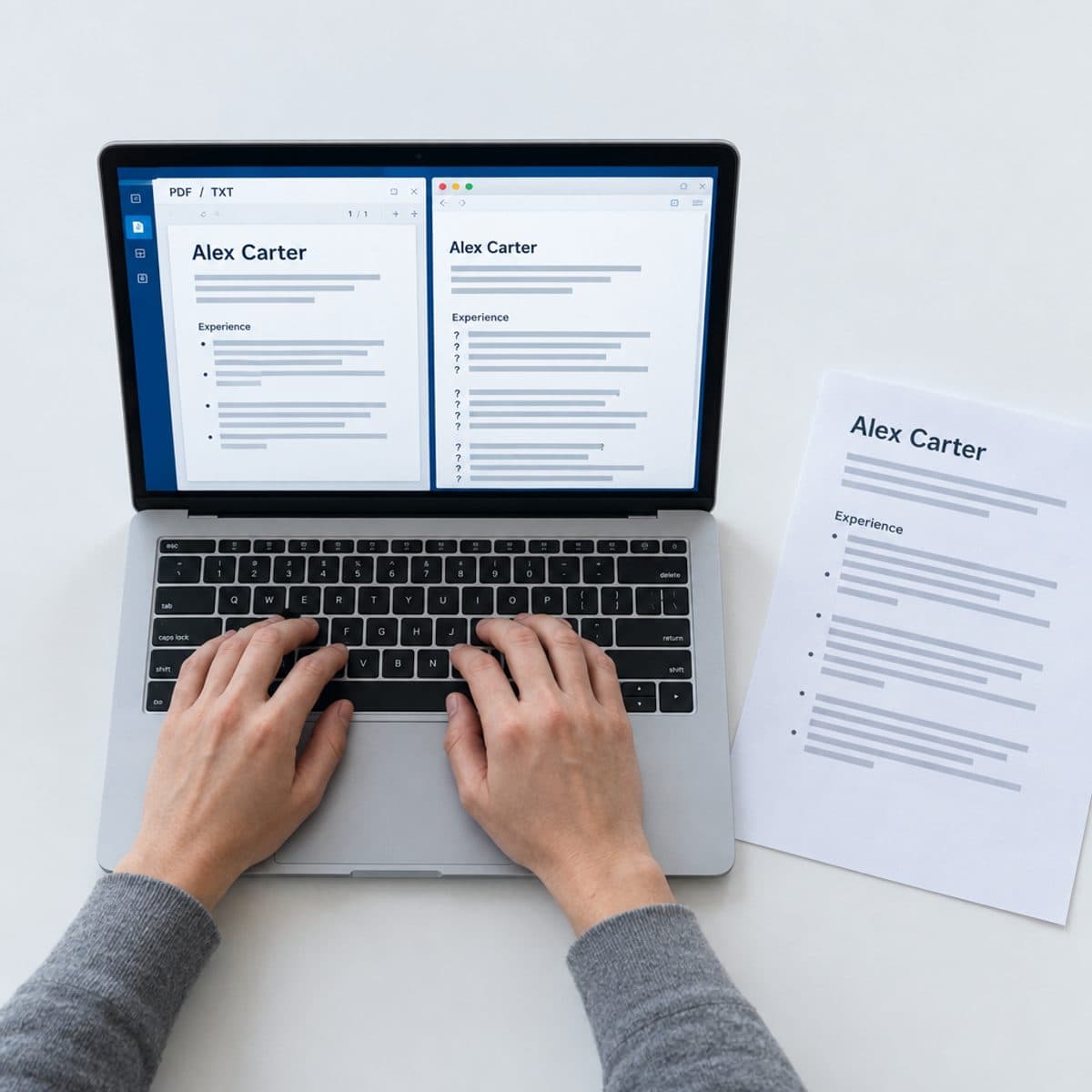
What genuinely causes parsing problems is content that isn't text at all. Resume parsing remains format-sensitive: documents containing images, tables, columns, or complex design elements extract less reliably than clean text-based files, per a People Matters Global analysis. A skills chart rendered as an image is invisible to a parser. Text placed inside a text box can come out in the wrong order or not at all.
The practical rule: format for a fast human read, and keep every word as actual selectable text. Headshots, icons, skill bars, and infographic elements add parsing risk while adding nothing a recruiter values. Bold, bullets, and white space add zero risk.
Myth #2: There's a Secret ATS Score You Must Pass
Reality: there is no universal score gate sitting between you and every recruiter. Some systems show recruiters a match percentage or a ranked list, but those are sorting aids that help a recruiter decide whom to read first. They are not a tripwire that deletes your application at 79 percent.
This myth persists because resume scanner tools show you a number, and people assume employers see the same number. They don't. A score from a third-party scanner reflects that tool's rubric: keyword overlap, section detection, formatting checks. It is useful as a diagnostic, and meaningless as a prediction of any specific employer's system. Two scanners will score the same resume differently because they measure different things.
Use scores the way a practitioner does: as a gap-finder. If a scanner says you're missing "stakeholder management" and the posting mentions it three times, that's a real signal. If it says you scored 82 instead of 90, that difference decides nothing.
Myth #3: You Must Include Every Keyword From the Job Description
Reality: recruiters search on a handful of terms, not forty. When a recruiter queries the ATS, they type the things that define the role: a job title, two or three hard skills, maybe a certification or a location. Nobody searches for "team player" or "fast-paced environment."
Modern systems also increasingly support contextual and semantic matching rather than literal string counting, per Huntr and WayUp. "Managed a team of 12 engineers" registers as leadership experience without the word "leadership" appearing.
Where exactness still pays: hard skills, tools, and credentials. If the posting says "Salesforce," write Salesforce, not "a leading CRM platform." If it says "PMP," spell out Project Management Professional (PMP) once so both forms are searchable. The skill: pull the keywords from the job description that name requirements you genuinely meet, and skip the rest. A free keyword scanner run against the actual posting will show you which terms you're missing in about a minute, which beats guessing.
Myth #4: ATS Is the Main Reason You Aren't Getting Interviews
Reality: the ATS delivers the rejection email, which is why it takes the blame. It rarely causes the rejection. The actual causes, in rough order of frequency:
- Knockout questions. "Are you authorized to work in the US?" "Do you hold an active RN license?" A recruiter configured these, and a disqualifying answer ends the application. This is the closest thing to auto-rejection that exists, and it's a human-made filter, not an algorithm's judgment.
- You never surfaced in a search. If the recruiter searches "data engineer AND Airflow" and your resume says "built data pipelines with workflow orchestration tools," you were never seen. Not rejected. Never found.
- Competition and timing. Popular postings draw hundreds of applicants, and recruiters often fill the interview slate from the first strong wave.
- The resume itself. A generic document that survives parsing perfectly can still lose the six-second human skim.
Recruiters themselves are ambivalent about the tooling. In a 2026 People Matters Global survey, 33 percent of hiring managers said ATS technology makes hiring feel less personal, and another 33 percent said it overemphasizes keyword matching over overall fit. That's a real workflow concern. It is not evidence that software silently rejects qualified people, and treating the ATS as the villain distracts you from the fixes that work.
Myth #5: Two-Column Resumes Are Always Rejected
Reality: "always rejected" is false. Major modern systems parse many two-column resumes correctly, especially ones built as real flowing text rather than text boxes or layout tables. Plenty of people get interviews with two-column resumes every day.
The honest caveat: columns do sit on the riskier side of the parsing ledger. Complex layouts with columns and tables extract less reliably than single-column text, per People Matters Global. An older or cheaper parser can read straight across both columns and scramble your dates into your skills.
My judgment call: when you're applying through an online portal and don't know which ATS sits behind it, single column is the default that never costs you anything. If you love a two-column layout, keep the load-bearing content, your job titles, dates, and experience bullets, in the main column, and reserve the sidebar for skills and contact details. Then verify how it parses before you send it. Our roundup of ATS-friendly resume templates covers which layouts hold up.
Myth #6: Fancy Templates Beat Simple Templates
Reality: nobody hiring for a non-design role has ever thought "weak experience, but look at that sidebar gradient." A recruiter's first pass is a skim for title, company, dates, and one or two proof points. A clean single-column resume with strong typography serves that skim. A heavily decorated one fights it.
Fancy templates lose twice. The parser may mangle the layout, and the human has to hunt for the information they came for. Designers and creatives are the one exception, and even they are better served by a clean resume plus a portfolio link than by a resume that tries to be the portfolio.
Spend the effort where it compounds: sharper bullets, real numbers, and a summary written for the specific role. Template selection is a five-minute decision. Content is the whole game.

Myth #7: PDF Is Always ATS-Safe
Reality: PDF is the right default, with one trap. Text-based PDFs, the kind produced when you export from an editor, generally parse reliably, per People Matters Global. Image-based PDFs do not. A scanned resume, a photo of a printout, or a design tool export that flattens text into graphics gives a parser nothing to read.
The ten-second check: open your PDF and try to select and copy a line of text. If you can select it, a parser can read it. If your cursor selects the whole page as one image, rebuild the file. For a fuller check, run the three free ATS resume tests before your next application.
Stick with PDF as your submission format. It locks your formatting so the recruiter sees exactly what you built. Send a Word file only if a portal explicitly demands one, which is rare and getting rarer.
Myth #8: Keyword Stuffing Improves Your Chances
Reality: stuffing solved a problem that mostly no longer exists. Repetition mattered when matching was literal string counting. Current systems weigh context and semantics, and keyword stuffing reduces clarity and perceived fit rather than improving rank, per Huntr and WayUp.
Stuffing also fails at the step that decides your outcome: the human read. A skills section with 45 entries reads as someone who can't prioritize. A summary that repeats "project management" four times reads as written for a machine, and recruiters recognize the pattern instantly.
The white-text trick, hiding keywords in invisible font, is worse than useless. The parser extracts all text regardless of color, so your hidden block appears in plain sight in the recruiter's parsed candidate view. You've now shown a stranger that your first professional instinct was to deceive them. Each keyword should appear where it's true: in a bullet describing work you actually did.
Myth #9: AI Screening in 2026 Auto-Rejects Most Applicants
Reality: AI has changed what ATS platforms do, and it still isn't mass auto-rejection. Major platforms including Workday, Greenhouse, Lever, iCIMS, SAP SuccessFactors, and Oracle Taleo use AI for matching and screening, per Jobscan. In most workflows, sourcing, parsing, and ranking are increasingly automated while interviews and final selection remain human responsibilities, per HiringThing.
Employers also face growing legal pressure to keep automated hiring decisions accountable. By August 2026, New York City's Local Law 144, California's automated-decision regulations, Illinois' amended Human Rights Act, and Texas' Responsible AI Governance Act imposed duties around notice, bias evaluation, or governance on covered employers, per Noon AI. In Europe, the EU AI Act classifies recruitment AI as high risk, with the high-risk compliance deadline moved to December 2, 2027, according to a 2026 legal-policy analysis from Noon AI. A fully automated rejection machine is exactly what these regimes are built to police.
The screening shift that should actually change your behavior is about authenticity, not automation. There's no current evidence that major ATS platforms natively detect whether a resume was written by AI, per Jobscan. Humans, however, believe they can: in a 2026 People Matters Global survey, 80 percent of hiring managers said they can often identify AI-written resumes, and 77 percent said many resumes appear partly or fully AI-generated. The risk isn't a machine flagging your text. It's a human reading generic, voiceless prose and moving on. If you use AI, use it to sharpen your own material, never to invent it, and keep every claim something you can defend in an interview.
What Actually Matters: Recruiters Search the ATS Like a Database
Here's the mental model that replaces all nine myths. An ATS is a searchable database of applicants. A recruiter opens it, types a title and a few skills, and works through the results. Your resume's job is to be findable in that search and convincing in the six-second skim that follows.
That reframes the whole "beating the ATS" project into four concrete moves:
- Answer knockout questions carefully and honestly. These application-form questions, not your resume's formatting, are where most true auto-rejections happen. Read each one twice before answering.
- Mirror the posting's exact terms for skills you actually have. Job title, tools, certifications, methodologies. Spell out acronyms once alongside the short form so both versions are searchable.
- Keep the document parseable. Real text, standard section headings, no images carrying information, exported as a text-based PDF.
- Tailor per job instead of blasting one resume everywhere. The postings differ, the searches differ, and the resume that matches the search gets found.
The fourth step is where most people stall, because doing it by hand for every application is slow. This is the specific problem Roleframe was built for: paste a job posting, duplicate your base resume for it, and get a fit report that shows your ATS score against that posting, the exact keywords you're missing, and a prioritized plan. Then you make the edits yourself, with Remi, the career copilot, suggesting rewrites bullet by bullet and you approving every change. You stay the author, which matters for exactly the reason Myth #9 explains: hiring managers can tell when you weren't.
Frequently asked questions
- Do ATS automatically reject resumes?
Rarely on their own. An ATS is a system of record and a search tool, per Enhancv and Huntr; it parses, stores, and ranks applications for humans to review. The closest thing to auto-rejection is a knockout question a recruiter configured, such as work authorization or a required license. A disqualifying answer there ends the application, and that filter was set by a person, not decided by an algorithm.
- Is PDF or Word better for ATS?
PDF, as long as it's text-based. Text-based PDFs parse reliably in modern systems, per People Matters Global, and PDF preserves your formatting exactly as you built it. The one PDF to avoid is an image-based one, like a scan or a flattened design export. Quick check: if you can select and copy the text in your PDF, a parser can read it. Send a Word file only when a portal explicitly requires it.
- Does hiding keywords in white text work?
No, and it backfires. Parsers extract all text regardless of color, so your hidden keywords appear in plain view in the recruiter's parsed candidate profile. The recruiter sees a wall of stuffed terms and knows exactly what you tried. You gain nothing in ranking and lose all credibility with the person making the decision.
- Is 80% a good ATS score?
The number means less than people think. A score from a resume scanner reflects that tool's own rubric, not any employer's system, and there is no universal threshold employers apply. Treat the score as a gap-finder: fix the missing keywords and parsing issues it flags for skills you genuinely have, and stop optimizing once the real gaps are closed. Chasing 95 instead of 85 changes nothing a recruiter sees.
- Can an ATS tell if you used AI to write your resume?
Current evidence doesn't show that major platforms like Workday, Greenhouse, Lever, or iCIMS natively detect AI-written resumes, per Jobscan. Humans are the real detector: in a 2026 People Matters Global survey, 80 percent of hiring managers said they can often identify AI-written resumes. The safe approach is to use AI to improve writing about your real experience, never to generate claims you can't back up in an interview.
- Is the ATS still a thing in 2026, and can it hurt my chances?
Yes, nearly every mid-size and large employer routes applications through one, and AI-assisted matching and ranking are now standard on major platforms, per Jobscan. It can hurt your chances in two specific ways: an unparseable resume gives the recruiter nothing to search, and a resume missing the terms recruiters query never surfaces. Both are fixable in an afternoon with clean formatting and posting-specific keywords, which is why the ATS should be low on your list of worries once those basics are handled.


Ready when you are
Send the tailored resume, not the generic one.
Paste a job posting and Roleframe scores your resume against it, then helps you close the gaps one approved edit at a time, so you apply while the role is still fresh.